 JSKAPPS
Your passport photo, made on your machine — and printed at the size it claims to be.
Pick a document size, crop to the guides, and download. It is free, and it works without an account — no sign-up, no watermark, no upload. Your photo never leaves your computer, and the extension asks for one permission: local storage.
Most tools get the pixels right and the physical size wrong. This one writes the real print resolution into the file, so an ID card printed "at actual size" measures 85.6 mm, not 267 mm.
Getting a passport photo accepted is rarely one job. You need the right dimensions, often a file-size limit in kilobytes, sometimes a plain background — and then you need it printed, at a size a ruler agrees with.
JSK Photo Studio does the whole sequence in one place, in your browser:
- Document sizes that show their homework. 32 built-in sizes across 21 countries. Each one links to the issuing authority's own published specification and shows the date we last checked it — and says so plainly when we have not yet verified it ourselves.
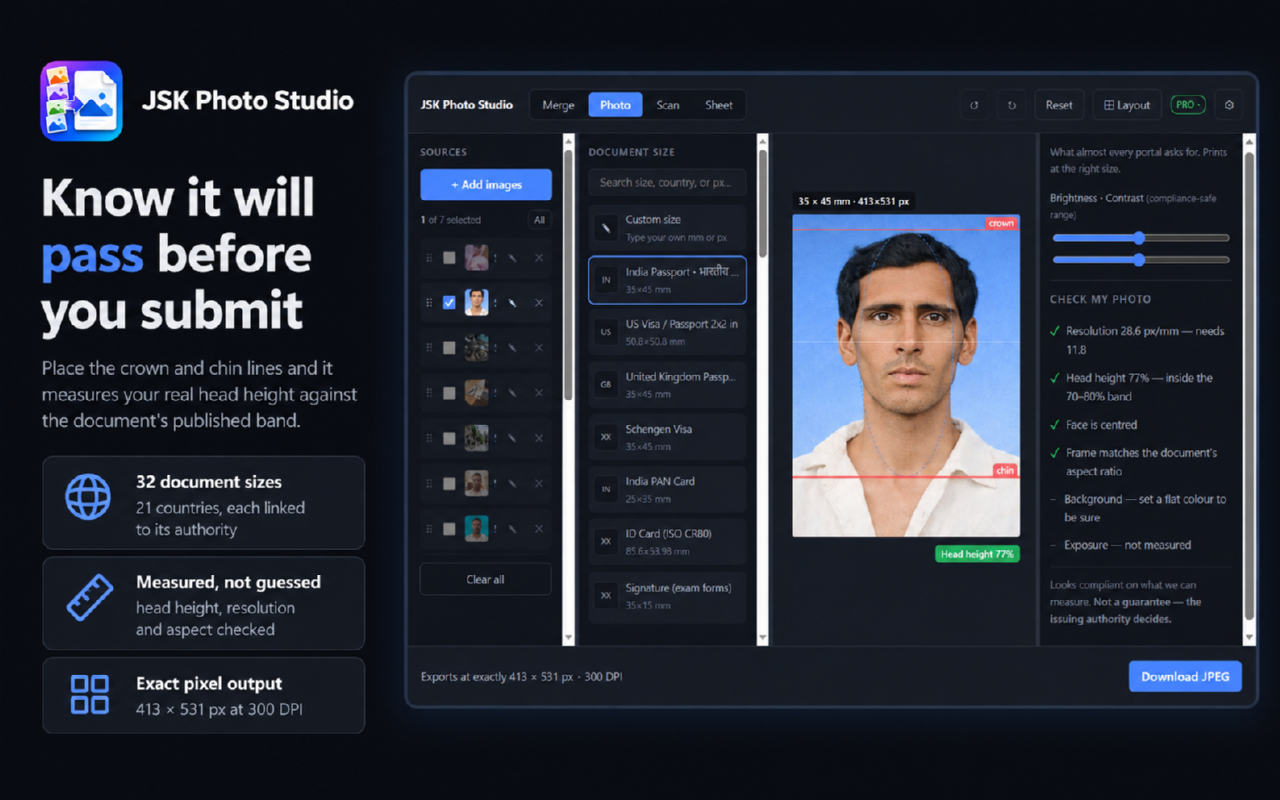
- A compliance check before you submit, not after you are rejected. Drag the crown and chin lines onto your head and the extension measures the actual head height against the document's published band.
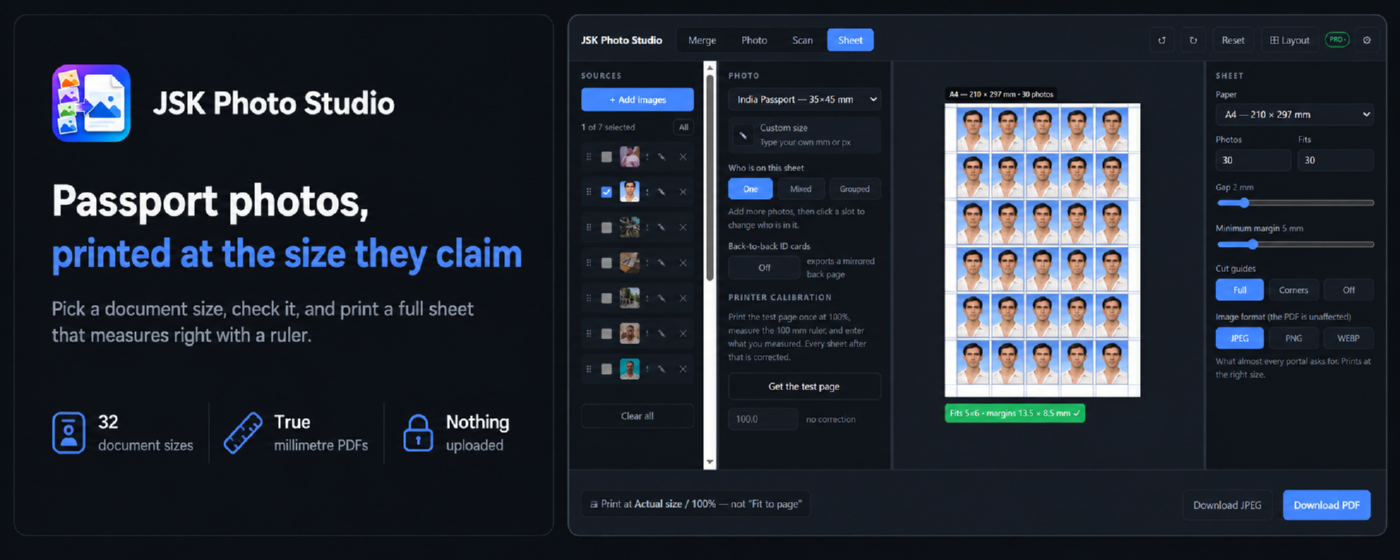
- Print sheets that measure right. Tile one photo across A4, Letter, 4R, 5R, A5 or A6, with cut guides, and export a PDF whose page box is set in true millimetres. There is a printer calibration sheet for the last half-millimetre.
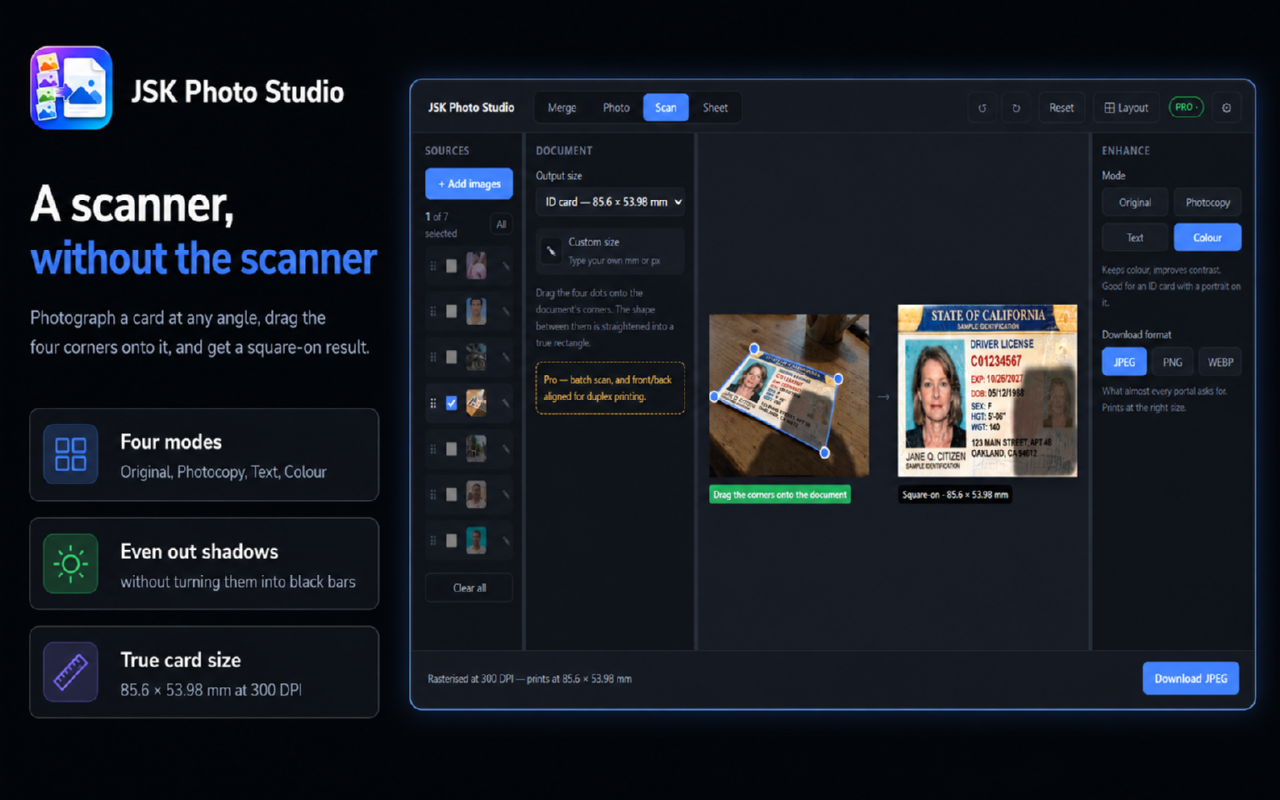
- A scanner without a scanner. Photograph a document or ID card at an angle, drag four corners onto it, and get a square-on, straightened result — with a photocopy mode that flattens uneven lighting instead of turning shadows into black bars.
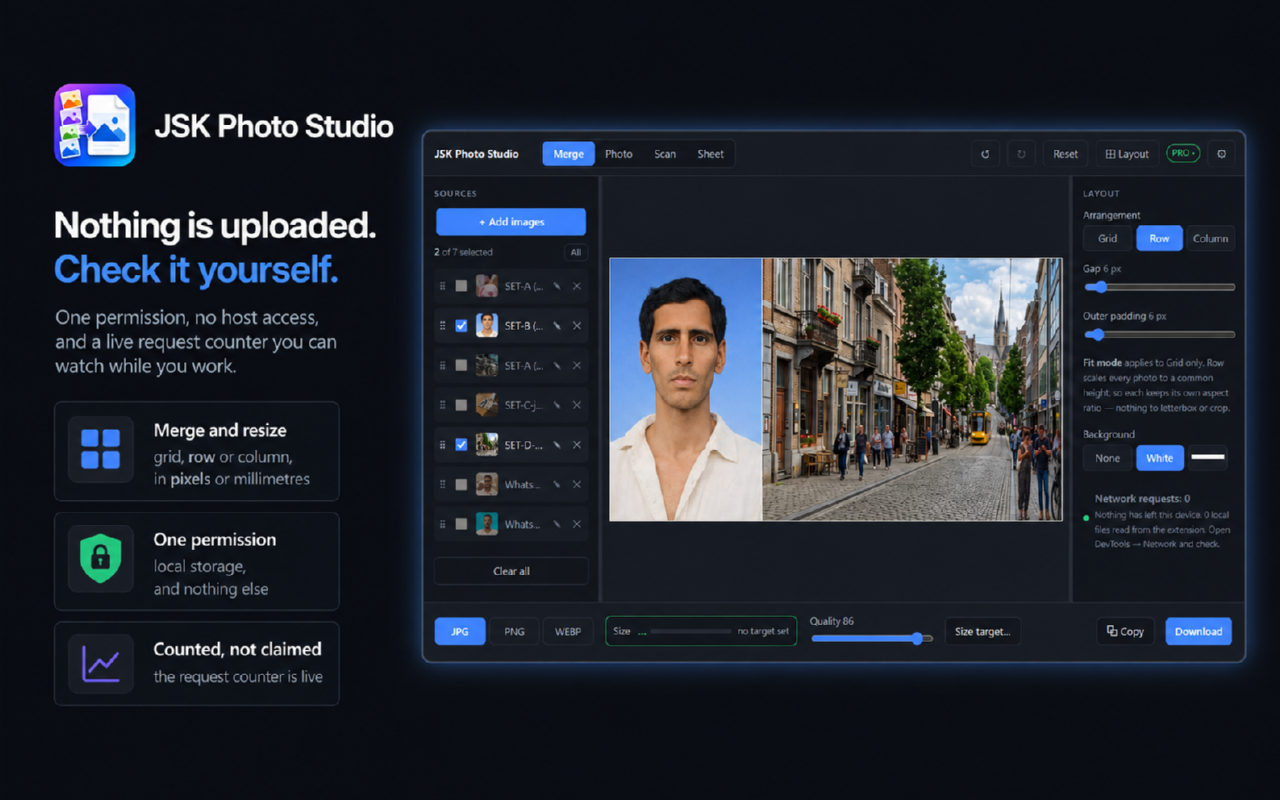
- Merge, resize and compress — combine images into a grid, row or column, resize to an exact width and height in pixels or millimetres at a stated DPI, and watch the file size update live as you move the quality slider.
- Nothing leaves your device. No host permissions, no analytics, no tracking. The workspace shows a live network counter so you can check that claim rather than trust it.
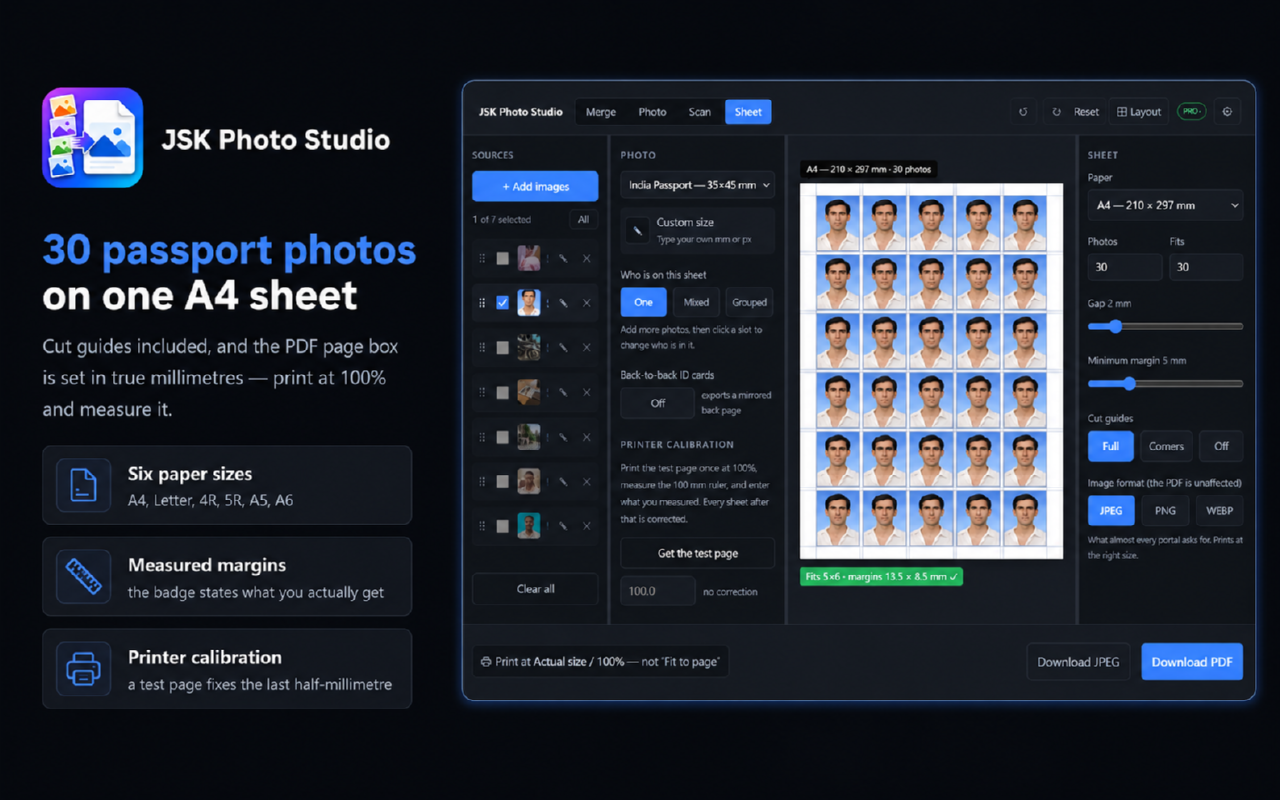
25 passport photos on one A4 sheet, with cut guides
How it works
Add your photo
drop it in, paste it, or browse. Nothing is uploaded.
Pick the documen
search 32 sizes by name, country or pixel dimensions, or type your own in millimetres or pixels.
Crop to the guides
drag the crown and chin lines onto your head; the compliance card tells you whether the head height is inside the published band.
Check the file size
the live readout shows exactly how many kilobytes your download will be, and whether it is inside the portal's limit.
Download or print
save a JPEG, PNG or WEBP, or build a full sheet and export a PDF that prints at the correct physical size.
Features
Prints at the real size
JPEG and PNG exports carry a genuine DPI stamp, and sheet PDFs use a true millimetre page box. Print at 100% and measure it.
Tells you if it will pass
a compliance card measures head height, resolution, aspect and background against the document's published requirements, and reports numbers rather than a verdict.
Full sheets with cut guides
tile one photo across six paper sizes, with the layout validated against the printable area so nothing is silently clipped.
Sizes you can audit
every built-in document size carries a link to the issuing authority's own page and the date it was last checked.
Scan and straighten
four-corner perspective correction turns an angled phone photo of a card or certificate into a square-on scan.
One permission, zero network
the extension requests local storage and nothing else, and asks for no host access at all. A live counter in the workspace shows the request count.
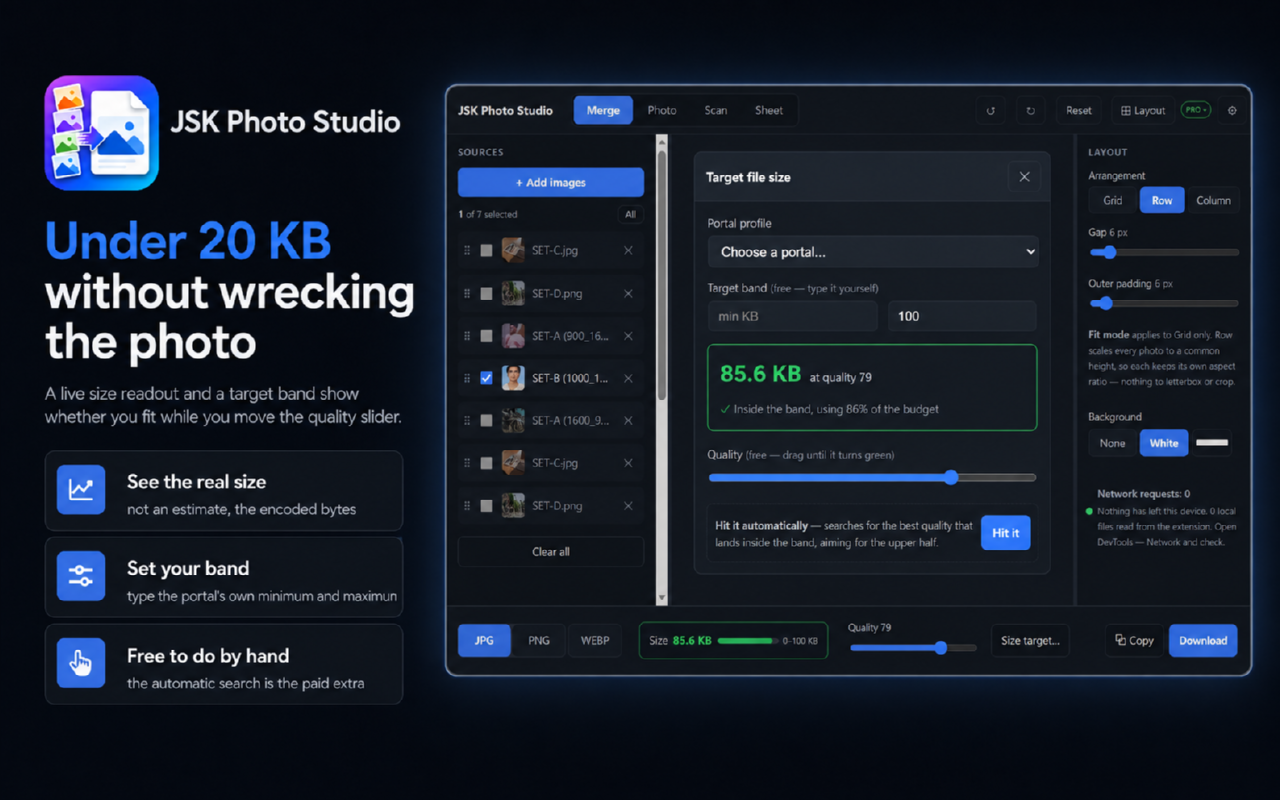
Hit a kilobyte limit
a live size readout and a target band show whether your file fits the portal's limit while you adjust quality.
Merge and resize
combine any number of images into a grid, row or column, and resize in pixels or millimetres at a chosen DPI.
Pricing
Choose the option that fits — pay once, subscribe, or start a trial.
No account needed — pay now and we'll email you a link to set a password and access your purchase. Already have an account?
Photo Studio Instant — free, no account
Free
Lifetime access
- Passport and ID photos at 32 built-in document sizes across 21 countries, each with a source link and a last-checked date
- Compliance card that measures head height, resolution and aspect against the published requirement
- Print sheets on A4, Letter, 4R, 5R, A5 and A6 with cut guides, and PDF export with a true millimetre page box
- Scan mode — four-corner perspective correction with photocopy, text and colour enhancement
- Merge, resize in pixels or millimetres at a stated DPI, and a live file-size readout with a target band
- No account, no watermark, no export limit, no upload, and one permission: local storage
No account needed — just install
Photo Studio Free Account
Free
- Everything in Instant, plus:
- Save up to 3 projects — your source images and the full edit state, ready to resume
- Save your own custom presets and kilobyte targets
- Type custom document sizes in millimetres or pixels, with your own DPI, in Photo, Scan and Sheet
- Choose which photos each mode works on, when you have several loaded
Pro Plan
$4.99/mo
7-day free trial
- Everything in Free, plus:
- Photo editor — free-form crop with 15 aspect presets, straighten, rotate 90° and flip, applied to the source so every mode uses it
- Automated file-size targeting — enter a kilobyte band and it finds the quality that lands inside it, instead of you nudging a slider
- HEIC and HEIF input — use iPhone photos directly, without converting them first
- Multi-person sheets — different people in different slots on one sheet
- Back-to-back ID cards — a mirrored reverse page so each back prints behind its own front
- Unlimited saved projects and presets
- Includes a 7-day free trial
Frequently asked questions
Is it really free?+
Yes. Making a passport photo, checking it, building a print sheet and exporting a PDF all work with no account and no payment. A free JSKAPPS account adds saved projects and a few conveniences; a paid plan adds the photo editor, HEIC support and automated file-size targeting.
Is my photo uploaded anywhere?+
No. All processing happens in your browser. The extension declares no host permissions, so it cannot reach a website even if it wanted to. If you sign in with a JSKAPPS account it checks your plan with jskapps.com — that request carries your API key and nothing else, and it never happens if you do not connect an account.
Why does my printed photo come out the wrong size in other tools?+
Because a JPEG saved by a browser usually declares no print resolution, so Windows and most print dialogs assume 96 DPI. A 413 × 531 pixel passport photo then prints at about 109 × 140 mm instead of 35 × 45 mm. JSK Photo Studio writes the real resolution into the file, so "actual size" means actual size.
Do you guarantee my photo will be accepted?+
No, and nobody honestly can — the issuing authority decides. What the extension does is measure your photo against the published specification and show you the numbers, with a link to the authority's own page so you can check it yourself.
Which document sizes are included?+
32 sizes across 21 countries, including India passport, visa, OCI and PAN, US 2×2, UK, Schengen, Canada, Australia, New Zealand, UAE, Singapore, China and Japan, plus signature and thumbprint formats. You can also type any size you like in millimetres or pixels with a free account.
Does it work offline?+
Yes. Without a connected account it makes no network requests at all, so it works on a plane, in a queue, or on a locked-down machine.
What happens to my photos when I close the tab?+
An interrupted edit is kept locally for 24 hours so you can resume it, then it expires. You can wipe everything — saved projects, session and settings — from Settings with one click.
From the blog
All articles →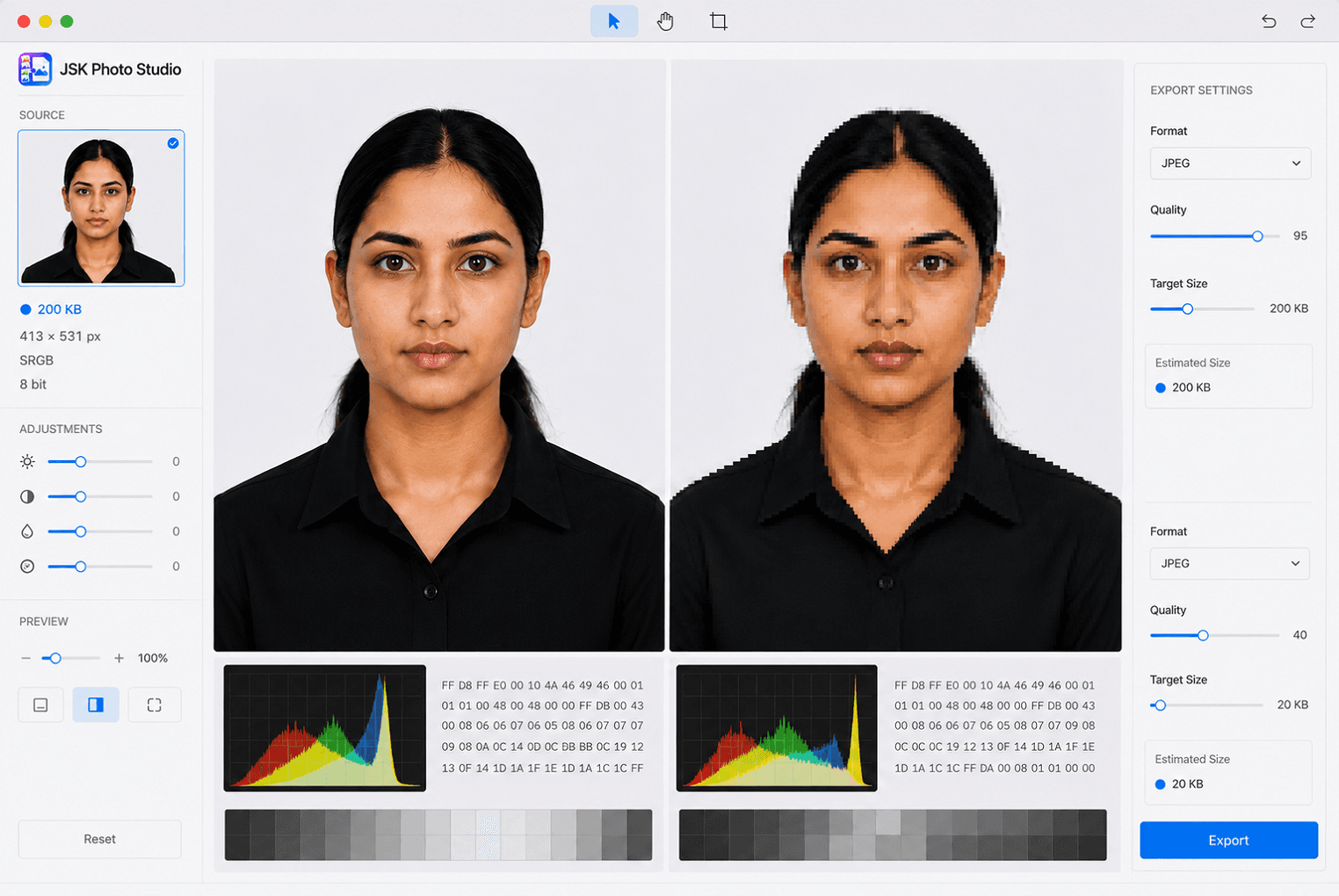
How to resize a photo to 20 KB for an exam form without wrecking it
Exam portals cap photos at 20, 50 or 100 KB and reject anything larger — or anything smaller. Here is how to land inside the band on purpose, instead of compressing until it fits and hoping nobody looks closely.
Somnath Roy · Sep 5, 2026
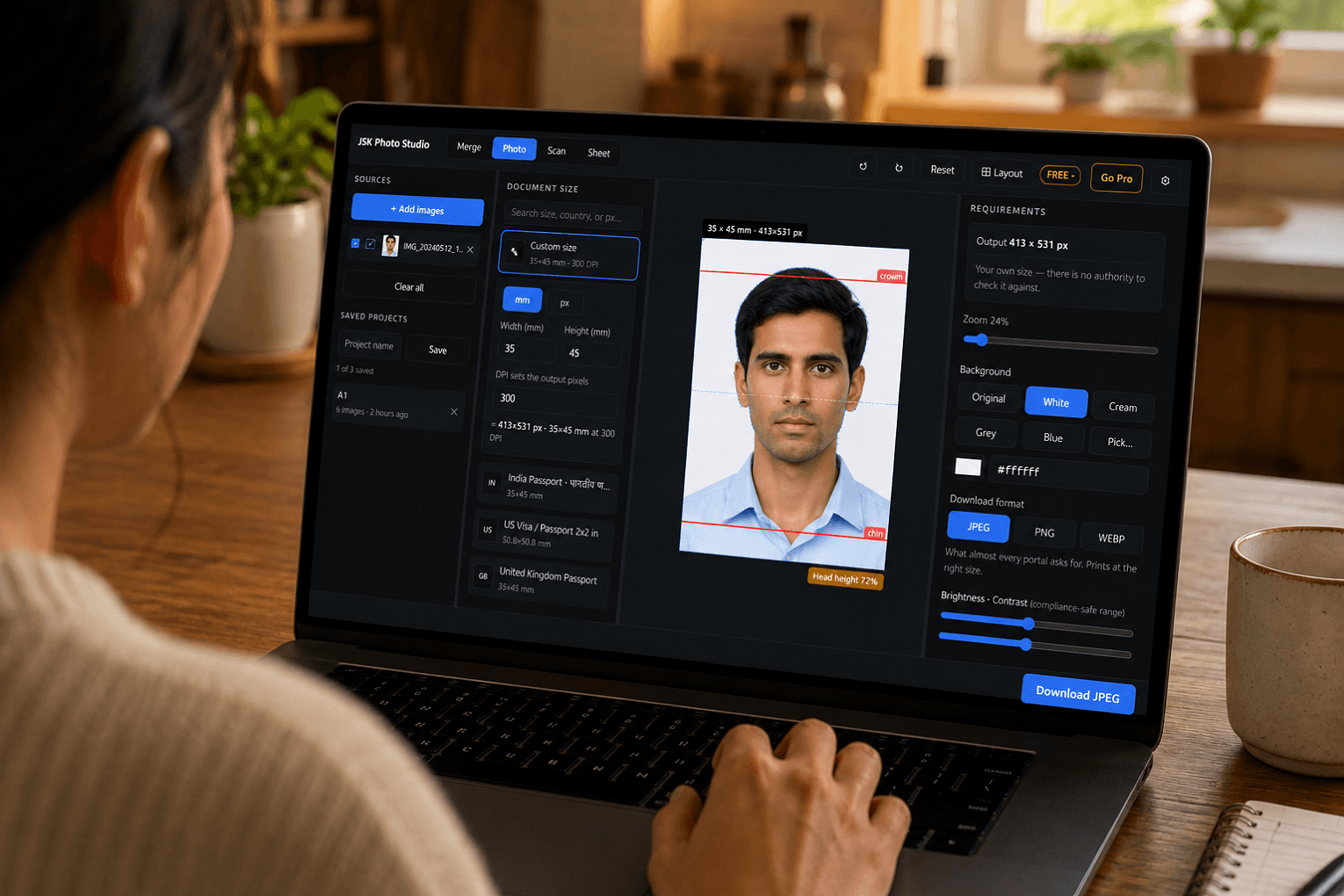
How to make a passport-size photo for free — without uploading it anywhere
Most free passport photo tools want your face on their server first. Here is how to make a correctly sized photo entirely on your own machine, in about two minutes, and check it against the actual specification before you submit it.
Somnath Roy · Aug 27, 2026
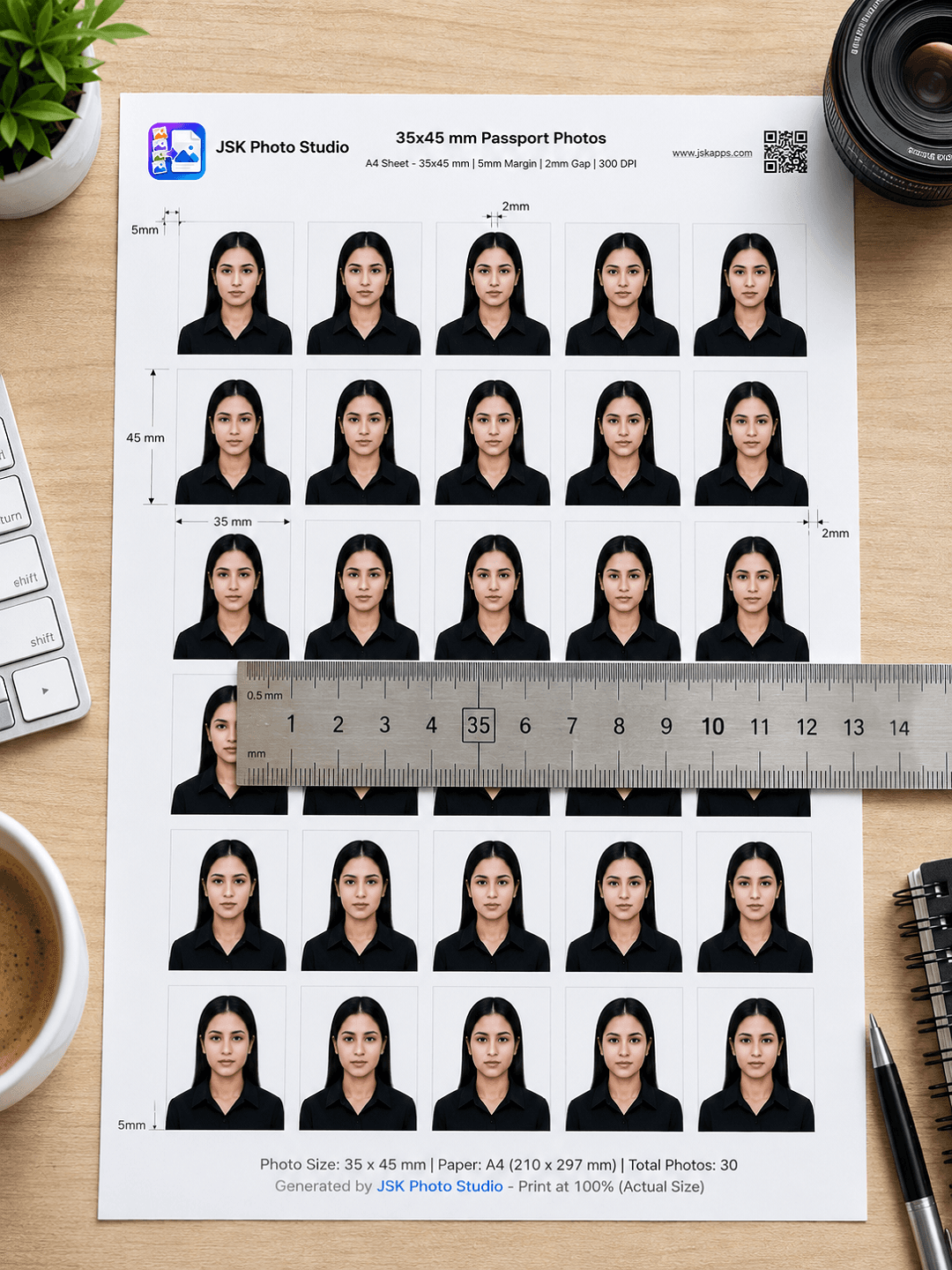
How many passport photos fit on an A4 sheet? (And why yours print the wrong size)
The answer is 30 — but only at the right margin, and only if the file you print carries a real print resolution. Here is the arithmetic, the six paper sizes compared, and the reason most home-printed passport photos come out too big.
Somnath Roy · Aug 20, 2026
Make one, and measure it.
Install it, add a photo, and print a sheet. If the ruler disagrees with us, we would like to know.