 JSKAPPS
Every copy, kept safe on your machine
You copy a hundred things a day and lose most of them. ClipKeep keeps them all, searchable, and gives any of them back in one click.
It is encrypted on your device from the first run, and it is careful about what it keeps: passwords, API keys and card numbers are hidden automatically, and 36 banking and password-manager sites are excluded before you configure anything. The whole clipboard manager is free with no account — you only sign in if you want tags, snippets and extra export formats.
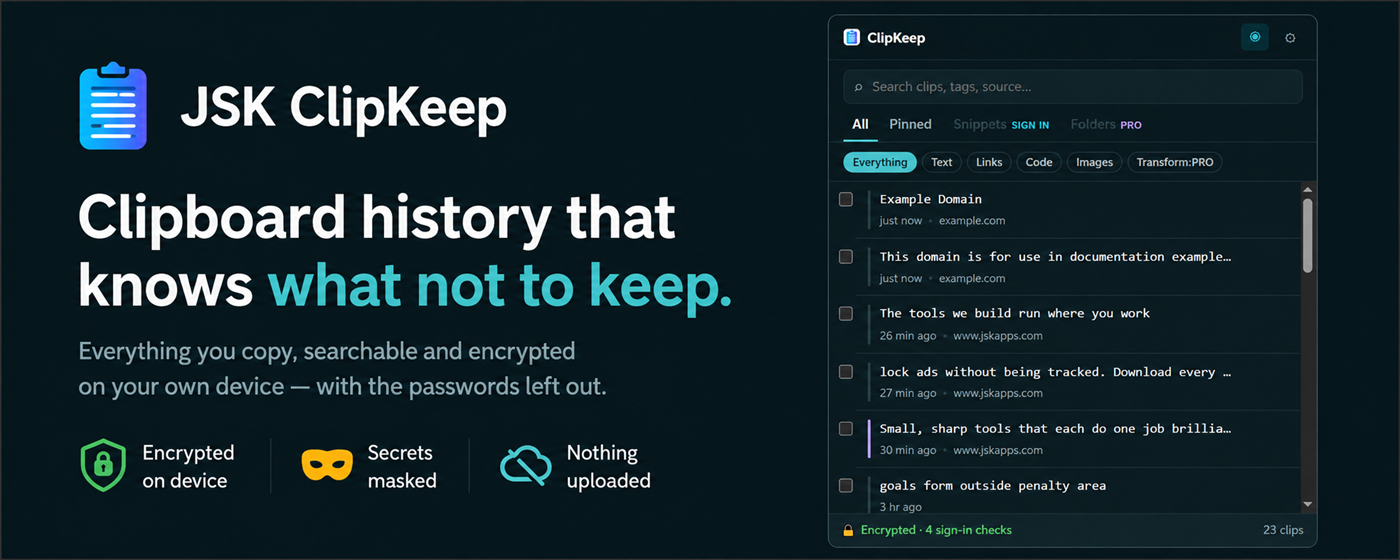
Most clipboard managers keep a permanent, readable log of everything you have ever copied — including the credentials you pasted into a terminal at 2am. ClipKeep was built on the assumption that this is the problem, not the feature.
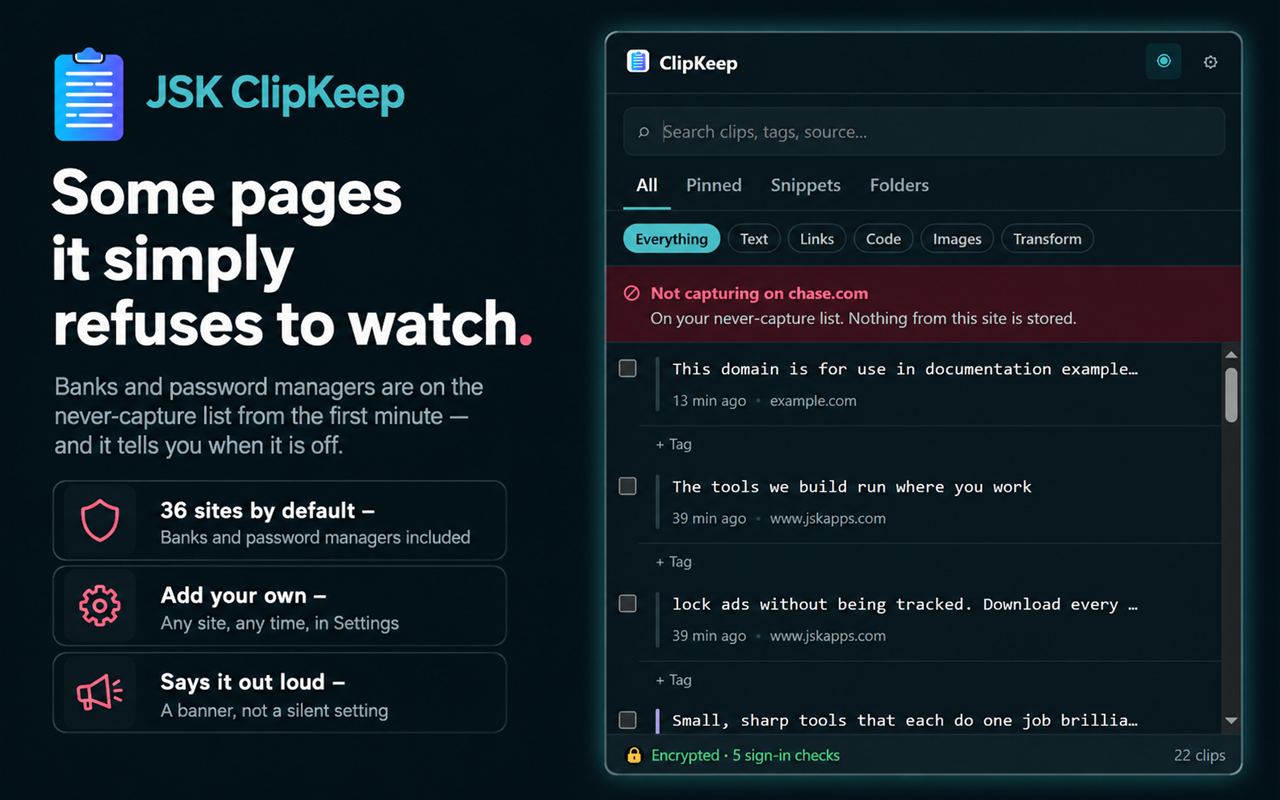
Everything is encrypted before it touches disk with AES-GCM-256. When you copy something that looks like an AWS key, a Stripe secret, a GitHub token or a card number, ClipKeep stores it masked and deletes it on its own a few minutes later. When you are on a site from its never-capture list, it stores nothing at all and says so on screen.
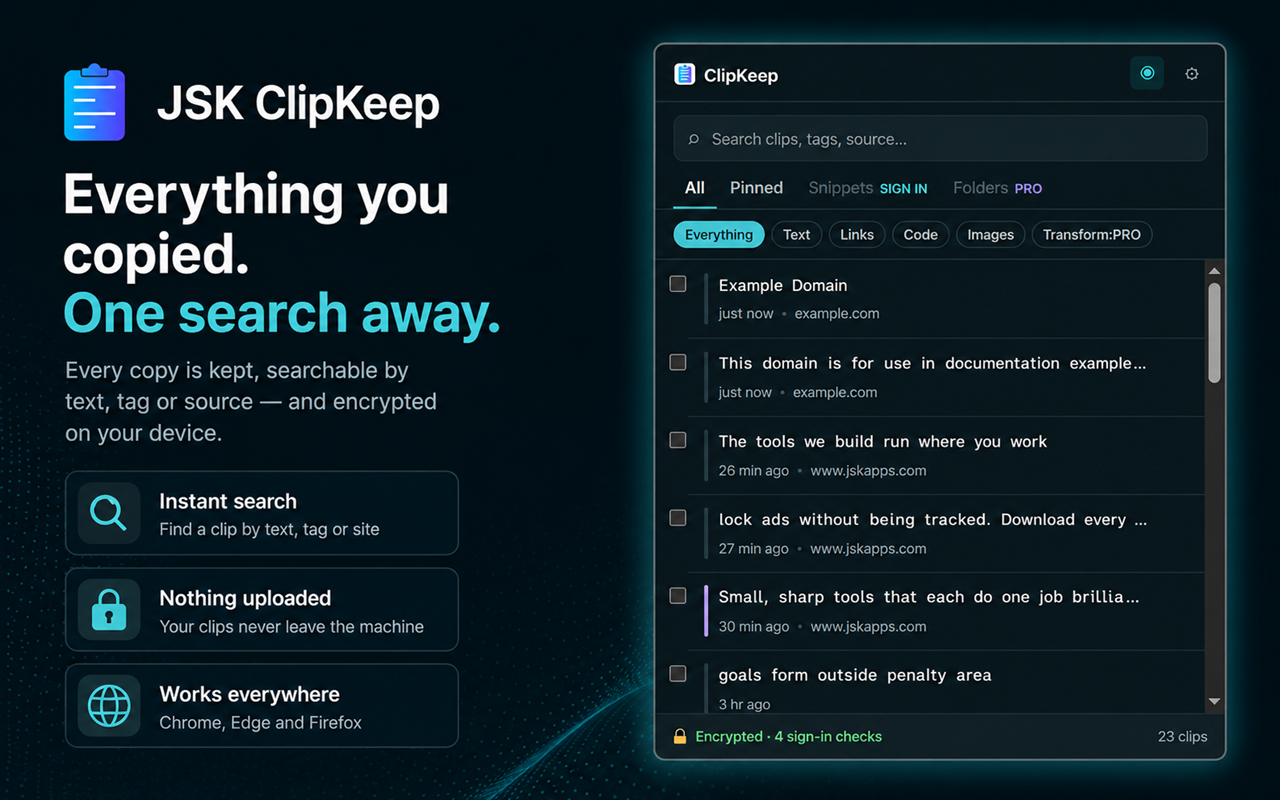
It also stays out of the way. Copy anything and it appears at the top of the panel. Search by text, by tag or by the site it came from. Click a clip to copy it, or shift-click to paste it straight into whatever field you were in.
- Unlimited history, searchable, with no cap on clips, pins or tags
- Automatic secret detection across 12 formats, masked and auto-expiring
- 36 banking, password-manager and cloud-console sites excluded out of the box
- Nothing captured in private windows
- Optional PIN lock with a printable recovery key
- Images kept as images — thumbnails in the list, real pictures on paste
- JSON export with no account, ever
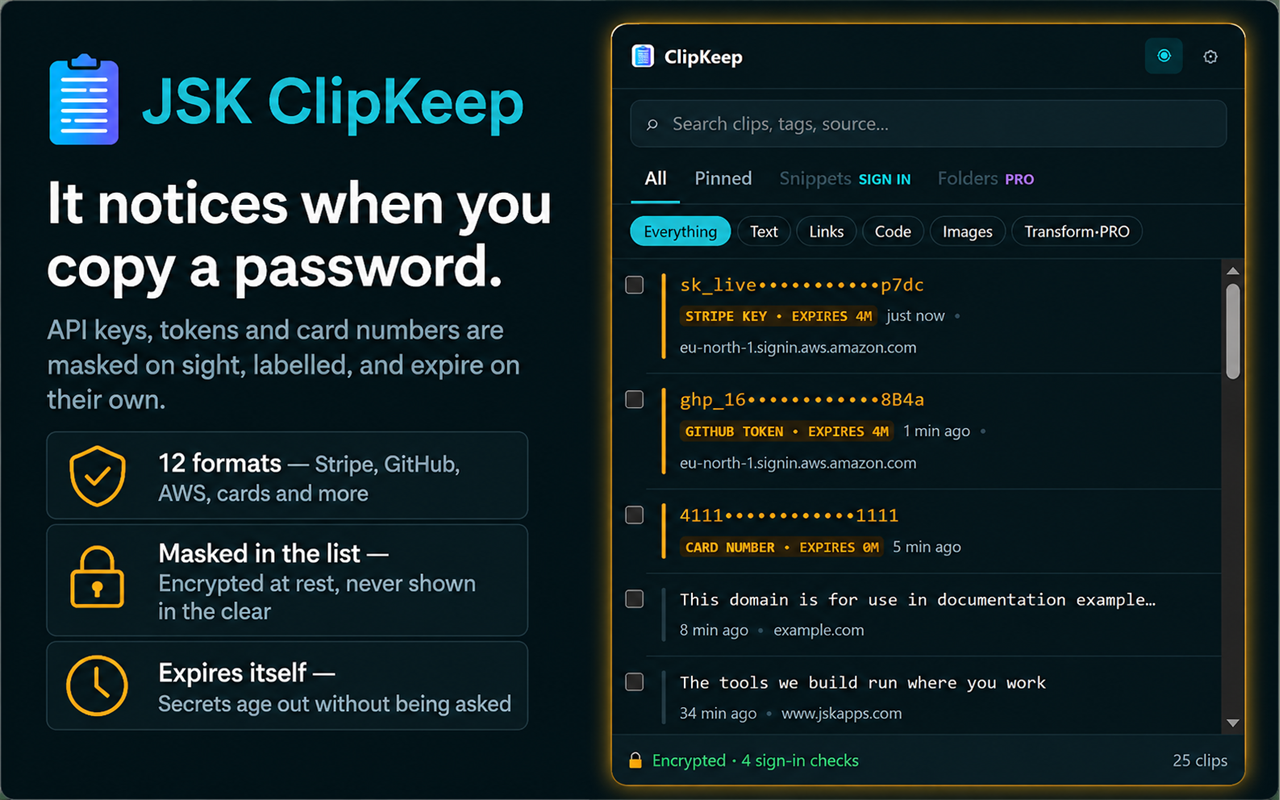
Three copied secrets shown masked — a Stripe key, a GitHub token and a card number — each labelled with its type and an expiry time.
How it works
Install it
the panel opens and starts keeping what you copy. There is nothing to set up and no account to create.
Copy as you normally would
every copy lands at the top of the list with the site it came from, encrypted before it is saved.
Get anything back
search, then click to copy or shift-click to paste it directly into the field you were in.
Tell it what to ignore
add any site to the never-capture list and nothing from it is ever stored.
Features
Encrypted before it is written
AES-GCM-256 on every clip, from the first run. Not a setting, not a paid extra, and not something you can accidentally turn off.
Knows what a secret looks like
AWS keys, Stripe keys, GitHub tokens, JWTs, private keys and card numbers are detected, masked in the list and deleted automatically.
Skips the sites that matter
36 banks, password managers and cloud consoles excluded on install. Add your own in one click, remove any you disagree with.
Finds anything
search across text, tags and the source site, even though the source is never in the visible text.
Paste without leaving the page
click to copy, shift-click to paste straight into the field you were using. Works in React and Vue apps that ignore ordinary value changes.
Real image support
a copied image is stored as an image, shown as a thumbnail, and pasted back as a picture rather than a wall of base64.
PIN lock that cannot trap you
lock the vault behind a PIN and get a printable recovery key. Forgetting the PIN costs you nothing but the key you wrote down.
Your data stays yours
JSON export needs no account and never will. CSV and plain text come with the free tier.
Pricing
Choose the option that fits — pay once, subscribe, or start a trial.
No account needed — pay now and we'll email you a link to set a password and access your purchase. Already have an account?
Clipkeep Instant
Free
Lifetime access
- The complete clipboard manager, working the moment you install it
- Unlimited history with no cap on clips or pins, and full search
- AES-GCM-256 encryption on every clip, always on
- Automatic secret detection, masking and auto-expiry across 12 formats
- 36 banking and password-manager sites excluded before you configure anything
- PIN lock with a printable recovery key, and JSON export that never needs an account
No account needed — just install
ClipKeep Free Account
Free
- Everything in Instant, plus:
- Tags on any clip, and search that reaches them
- Saved snippets — promote any clip to something permanent and named
- Merge and paste several clips at once
- CSV and plain-text export alongside JSON
- One-click import from other clipboard managers
- Source labelling, and more than one automatic clean-up rule
Pro Plan
$3.99/mo
7-day free trial
- Everything in Free, plus:
- A dynamic snippet engine — dates, times, the current clipboard, fill-in-the-blank fields and nested snippets
- Chainable transform recipes: case, whitespace, JSON, Markdown, tracking-parameter stripping and find-and-replace
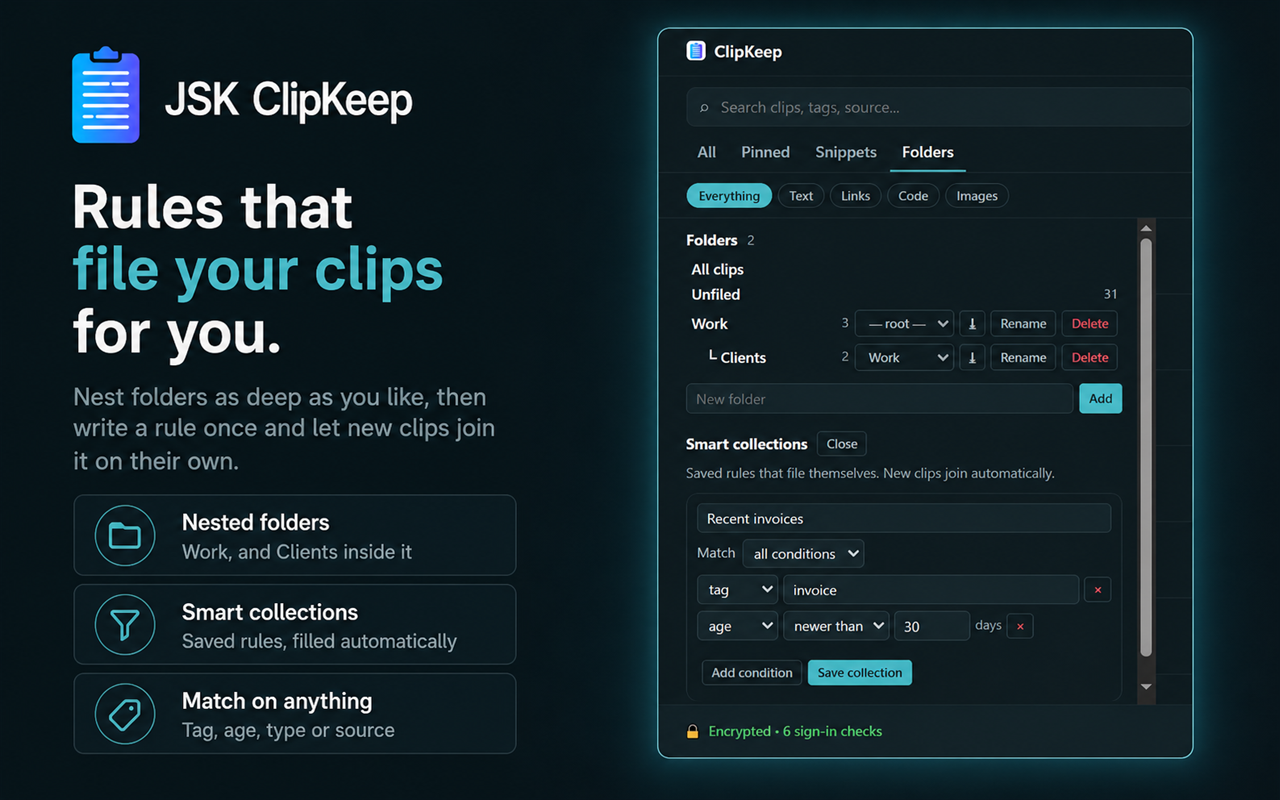
- Folders and smart collections — saved rules that file new clips automatically
- Per-site rules: auto-tag, keep images only, expire after a set time, or never capture
- A paste queue that sends the next clip on each press, for filling forms from a list
- A passphrase-encrypted vault file you can move between machines
- Scheduled automatic clean-up
Frequently asked questions
Does ClipKeep send my clipboard anywhere?+
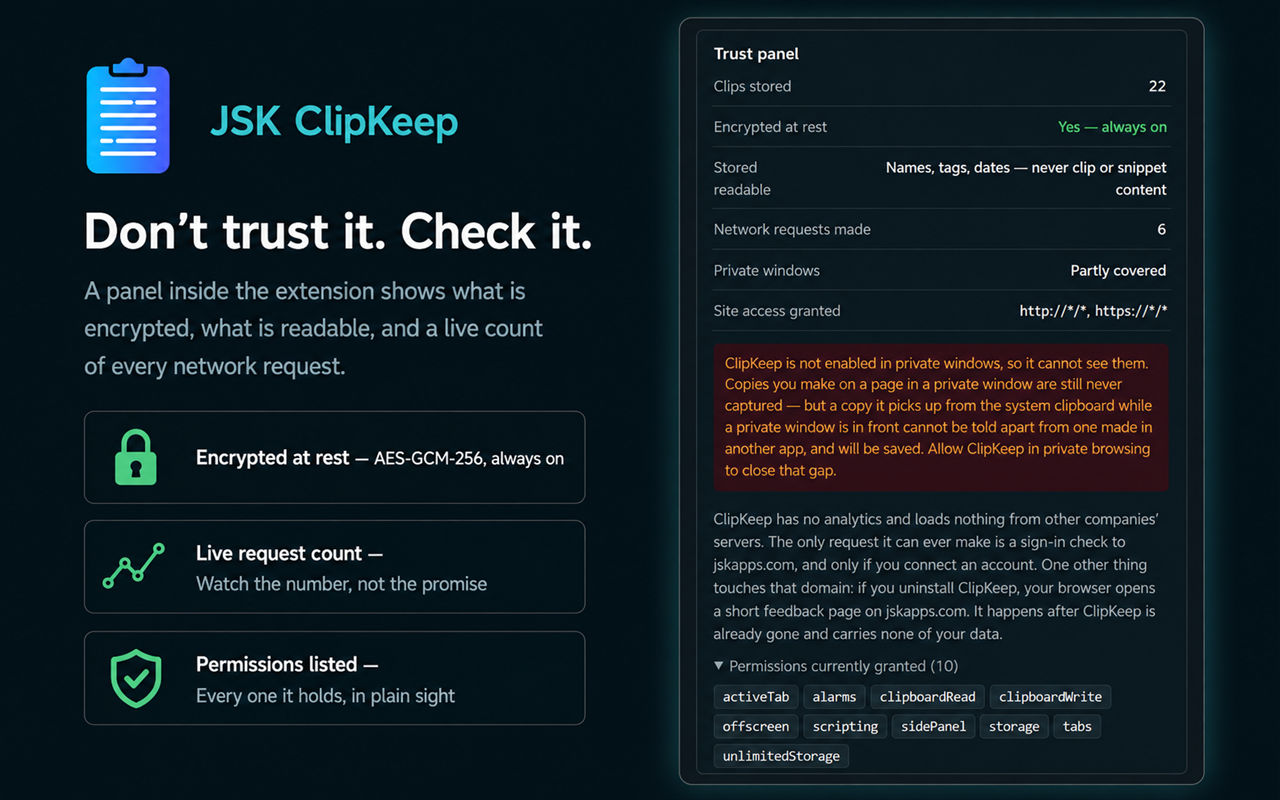
No. Clips are encrypted and stored in your browser on your own machine. The only request the extension can make is a sign-in check to jskapps.com, and only if you choose to connect an account. The panel shows a live count of network requests so you can check rather than trust.
Is it really free?+
The complete clipboard manager is free with no account: unlimited history, search, pinning, paste-into-field, encryption, secret detection, the never-capture list, PIN lock and JSON export. Signing in with a free JSKAPPS account adds tags, saved snippets and extra export formats. ClipKeep Pro adds automation.
Why does it ask for access to all websites?+
Because a copy happens on a page, and the extension has to be there to notice it. It reads only what you copy — never the rest of the page — and it is what lets ClipKeep skip password fields and know when you are on a never-capture site. Every permission is explained inside the extension before you use it.
What happens if I copy a password?+
If it came from a password field, nothing is stored at all. If it looks like a known secret format, it is stored masked and expires on its own. You can pin a masked secret to stop it expiring if you actually need it.
Can I stop it watching without uninstalling?+
Yes. There is a pause control in the panel title bar, and the panel tells you plainly while capture is paused.
Does it sync between my computers?+
No, and not in this version. Nothing leaves your device. Pro includes a passphrase-encrypted vault file you can move yourself, which is the honest version of the same thing.
What happens to my clips if I stop paying?+
Nothing is deleted, ever. Tier decides what is offered, never what is stored. Your folders, snippets and clips are all still there if you come back.
From the blog
All articles →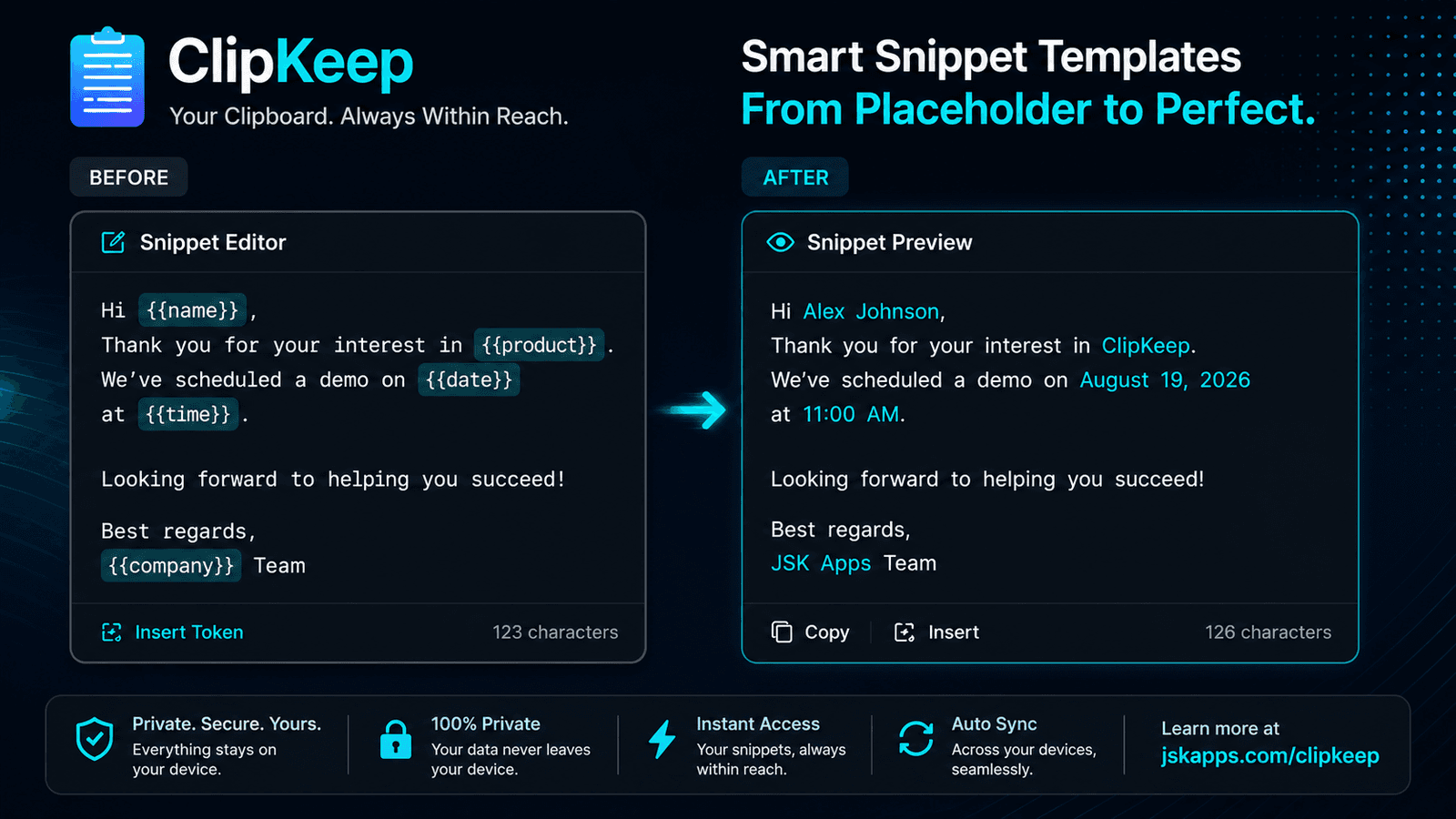
Snippets that fill themselves in: templates in your clipboard manager
Saved snippets are find-and-replace with extra steps until they can compute. Dates, the current clipboard, fill-in-the-blank fields and nested snippets turn a canned reply into something you actually use forty times a day.
Subhankar Jana · Sep 19, 2026
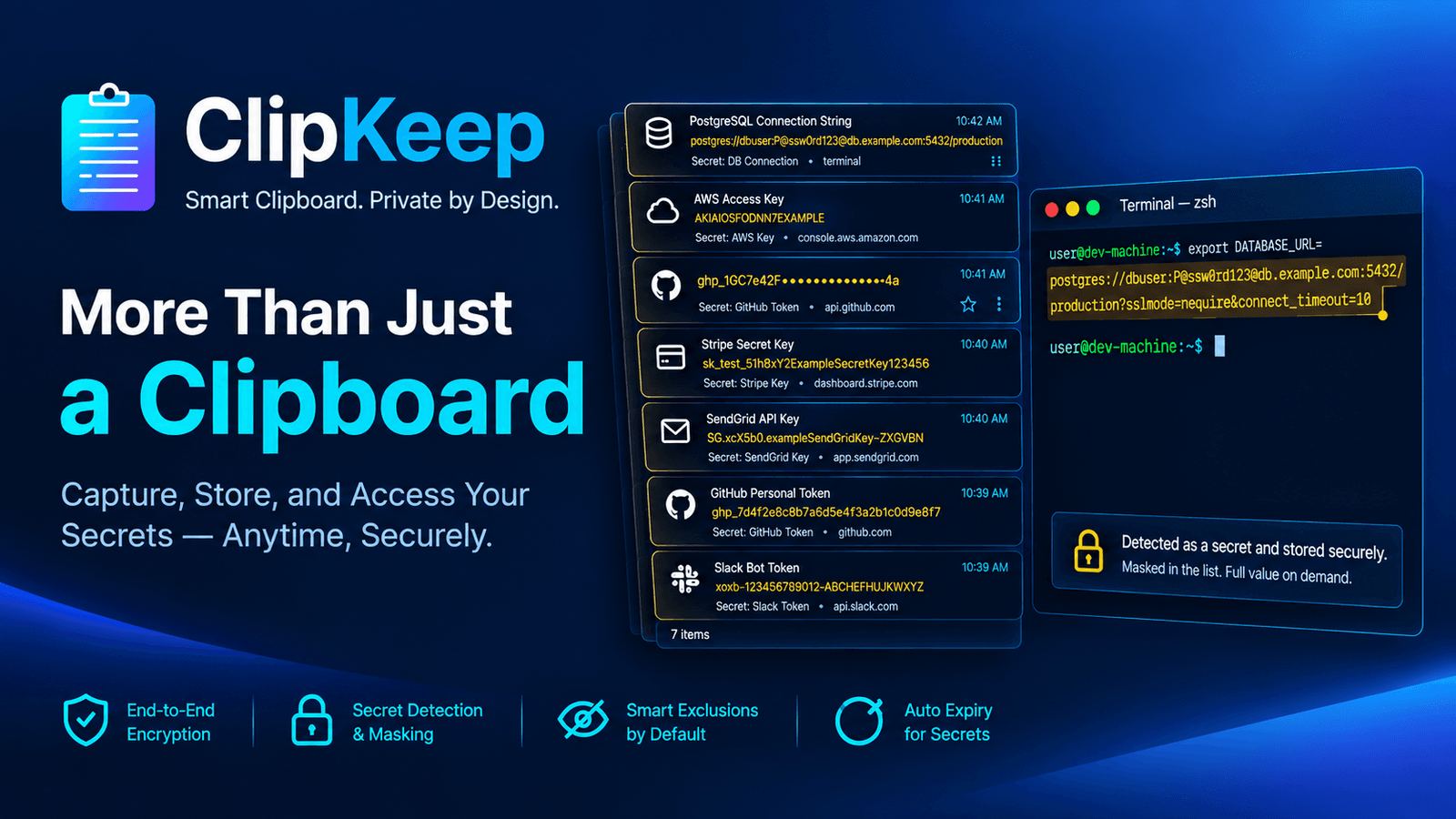
Your clipboard history is a plaintext log of your credentials
If you copy API keys, connection strings and tokens all day, your clipboard manager is quietly building a permanent, readable log of them. Here is what is actually in that file, and how to get the convenience without the liability.
Subhankar Jana · Sep 8, 2026
How to see your clipboard history in Chrome
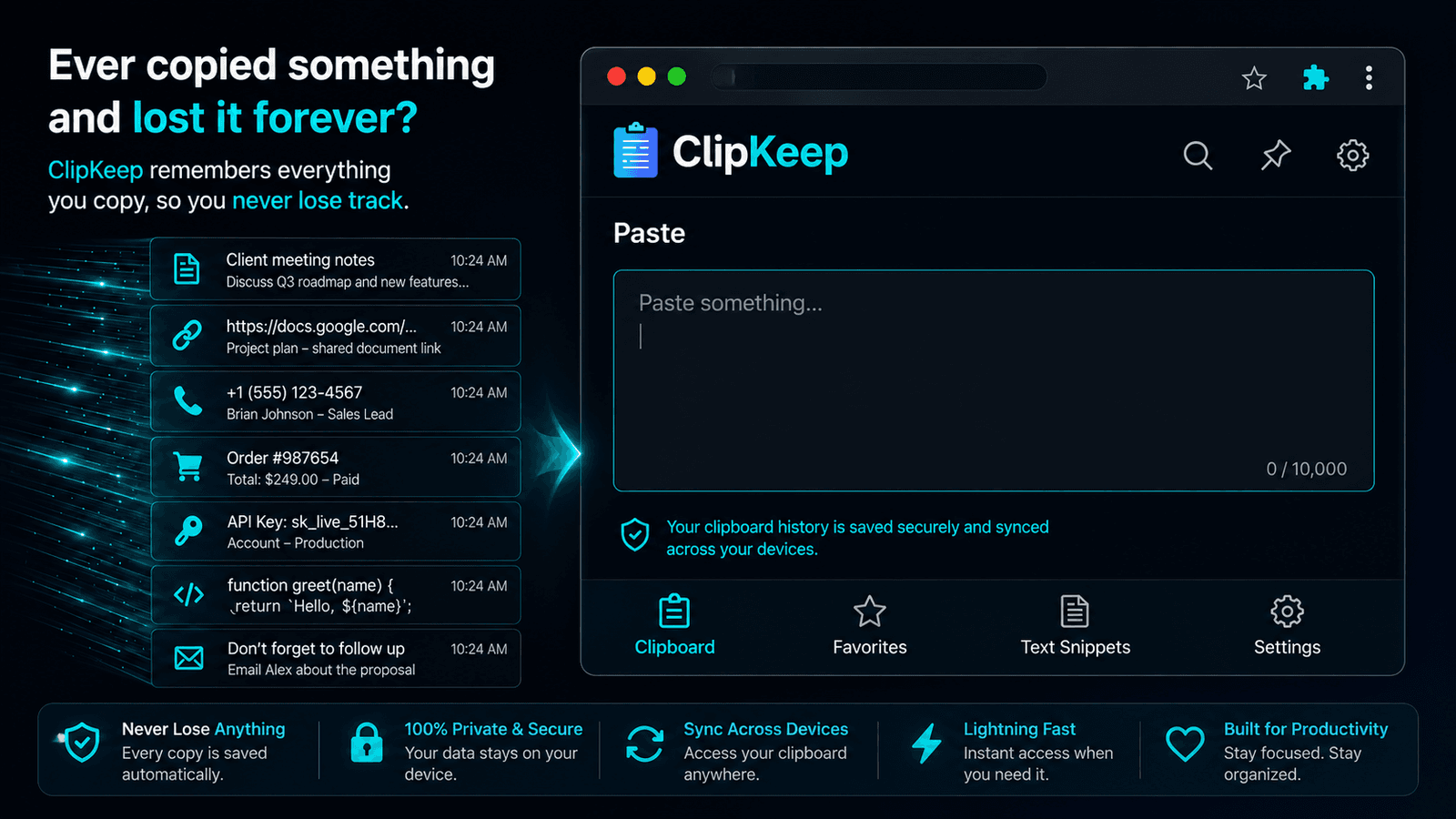
Chrome has no clipboard history of its own — Ctrl+V only ever gives you the last thing you copied. Here is what actually exists on Windows, Mac and ChromeOS, and how to get real history inside the browser itself.
Subhankar Jana · Sep 1, 2026
Stop losing what you copied
Install ClipKeep and it starts working immediately — no account, no setup, nothing sent anywhere. Sign in later only if you want tags and snippets.