 JSKAPPS
JSK ClipKeep
Your clipboard history is a plaintext log of your credentials
If you copy API keys, connection strings and tokens all day, your clipboard manager is quietly building a permanent, readable log of them. Here is what is actually in that file, and how to get the convenience without the liability.
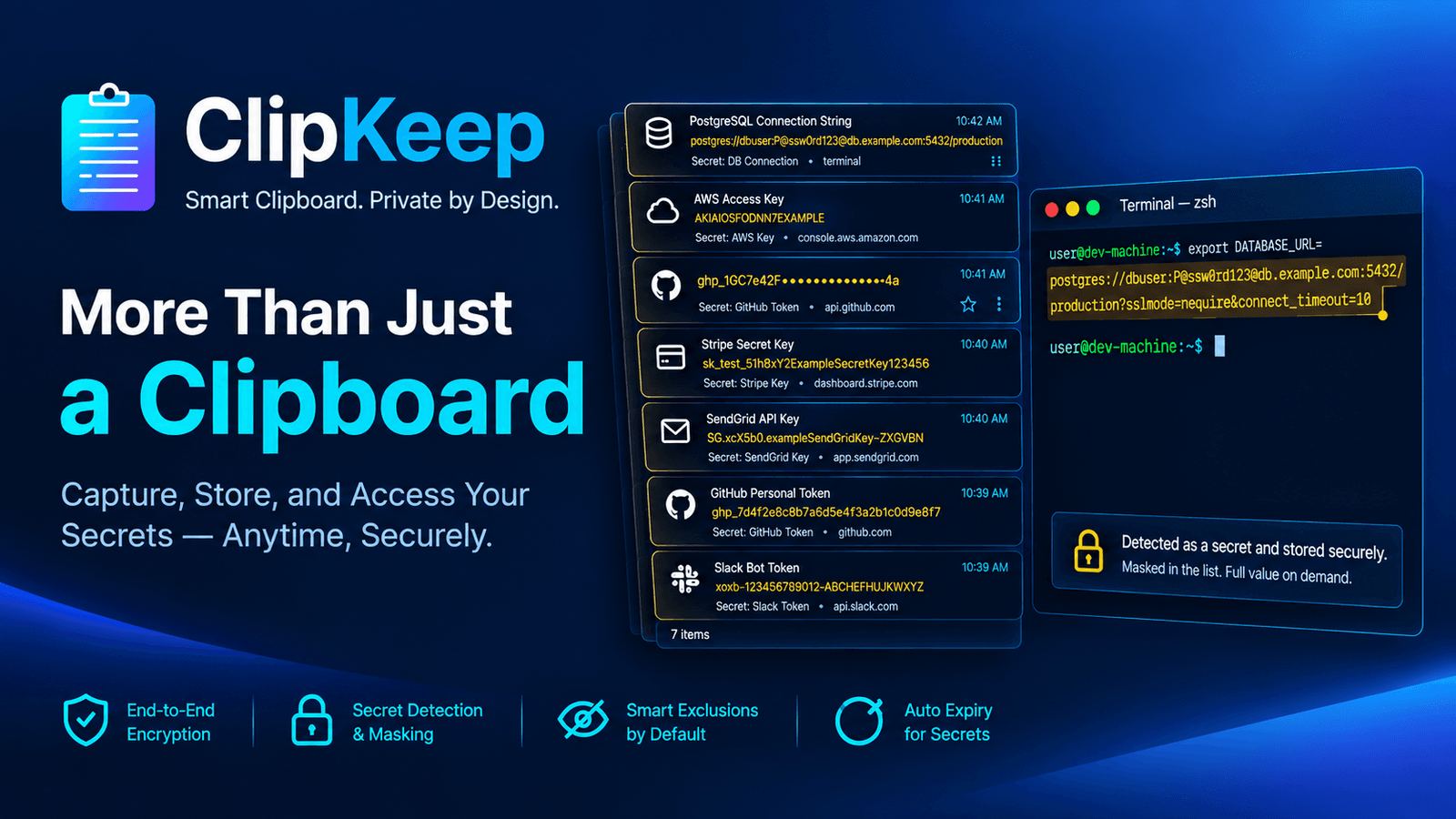
Yesterday you pasted a production database URL into a terminal. Before that, an AWS access key into a config file. Before that, a bearer token from the API docs into Postman, and a colleague's temporary password into a chat window.
All four are still sitting in your clipboard manager, in plain text, in a file on your disk. Most of them will be there next month.
This is not a bug in the tool you use. It is what almost every clipboard manager is built to do, and it is worth looking at squarely.
What is actually in that file
We reviewed fifty clipboard extensions while designing ours. The pattern is close to universal:
- Every copy is stored, in readable text
- It is kept indefinitely, or until an item limit pushes it out
- There is no distinction between a shopping link and a private key
- Twenty of the fifty request access to every site you visit
- Several sync history to a cloud account, some while describing themselves as "100% local"
So the practical situation, for anyone who works with credentials, is: the most sensitive collection of strings on your machine lives in an unremarkable file that nothing is protecting.
It is worth being precise about the threat, because the honest version is narrower than the scary version. This is not usually about a remote attacker. It is about:
- A laptop handed to IT, sold, or repaired with the profile intact
- A backup, a synced profile directory, or a disk image
- Somebody sitting at your unlocked machine for ninety seconds
- Screen sharing a clipboard panel during a call — which happens more than anyone admits
None of these need malware. They need your clipboard history to be readable, which by default it is.
The four things that actually help
You do not need to give up clipboard history. You need four properties, and you can check any tool for them in about a minute.
1. It should be encrypted before it hits the disk
Not "encrypted" as a paid upgrade or a setting somebody has to find. Encrypted from the first run, so the file on disk is meaningless without the key.
ClipKeep encrypts every clip with AES-GCM-256 before it is written, on every tier including the free one. It is not a toggle, and there is no way to accidentally turn it off.
2. It should recognise a credential when it sees one
This is the part most tools do not attempt. A clipboard manager sees the string; it can tell an AKIA… from a shopping link.
ClipKeep recognises twelve formats — AWS access keys, Stripe keys, GitHub tokens, JWTs, private key blocks, card numbers with a Luhn check, and others. When it matches, the clip is stored masked and deletes itself a few minutes later:
AKIAIO••••••••••••EXAMPLE AWS key · expires in 4 min
The middle of the value is never rendered anywhere in the interface.
The harder half of this is not detection, it is restraint. A tool that flags your git SHAs and UUIDs as secrets gets turned off within a day. Ours is tested against a fixture set of near-misses — 40-character git hashes, UUIDs, ISO timestamps, phone numbers, sixteen-digit numbers that fail Luhn — that must not be flagged. A false positive is worse than a miss, because it destroys trust in the whole feature.
3. It should refuse to look at some places entirely
Detection is a net, and nets have holes. The stronger control is not looking in the first place.
ClipKeep ships with 36 sites excluded before you configure anything: password managers, identity providers, cloud consoles, and a representative set of banks. On any of them it stores nothing and shows a banner saying so. Matching covers subdomains, so bank.com also covers secure.bank.com — but never notbank.com, because over-blocking is its own kind of untrustworthy.
Add your own — your company's admin panel, your staging environment, your webmail — from Settings, or with one click while you are on the site.
Two more refusals happen without any configuration: copies from a password or one-time-code field are never stored, and nothing is captured in private windows.
4. You should be able to check the claims, not just read them
Every listing in this category says "100% local". Seventeen of the fifty we reviewed load resources from a CDN on every popup open.
So ClipKeep puts a live counter in the panel footer: network requests made. On the free tier it reads zero, permanently, because there is nothing for it to call. The trust panel in Settings shows exactly which permissions are granted right now — read from the browser, not from the manifest — and what each one is for.
The only request the extension can make is a sign-in check to jskapps.com, and only if you choose to connect an account.
A realistic day
Here is what actually changes, for someone doing ordinary work.
You copy a connection string from a password manager. Nothing is stored — the password manager is on the never-capture list.
You copy an AWS key from the console into a config file. It is stored masked, amber, with a countdown, and it is gone in five minutes. If you need it longer, you pin it and it stops expiring.
You copy a JIRA ticket ID, a git branch name, three URLs and a paragraph of a spec. All stored normally, all searchable — including by the site they came from, which is how you find the right one of four similar IDs.
You open your bank to check something and copy a reference number. Nothing is stored, and the panel says so in a red banner rather than silently doing nothing.
At the end of the day your history contains your work and none of your credentials, and you did not think about it once.
The part where we are honest about limits
Default encryption protects the file at rest: someone copying your profile, imaging the disk, or recovering deleted files gets nothing readable. It does not protect against malware already running as you, because the key must be reachable for the extension to function at all. Any product claiming otherwise about local encryption is overselling.
For the walked-away-from-my-desk case there is an optional PIN. Your data key is wrapped with a key derived from your PIN via PBKDF2-SHA256 at 310,000 iterations, and the vault is sealed while locked — no clip decrypts and nothing new is captured, in any part of the extension.
Because a lock that traps you is worse than no lock, setting a PIN issues a printable recovery key, shown once. Forgetting the PIN costs you nothing but that piece of paper.
Try the four questions on whatever you use now
Whether or not you switch, it is worth spending a minute on your current tool:
- Is the history file readable if I open it?
- Does it treat an API key differently from a shopping link?
- Can I tell it never to look at my password manager?
- Can I verify what it sends, or only read a claim that it sends nothing?
If you want the version where all four answers are the ones you would choose, ClipKeep is free and needs no account — encryption, secret detection and the never-capture list are all on the free tier, because they are the product rather than the upsell.
New to clipboard managers? Start with how to see your clipboard history in Chrome. The full reference is in the documentation.
About this tool
JSK ClipKeep