 JSKAPPS
Every tab, exactly the way you want it to sound.
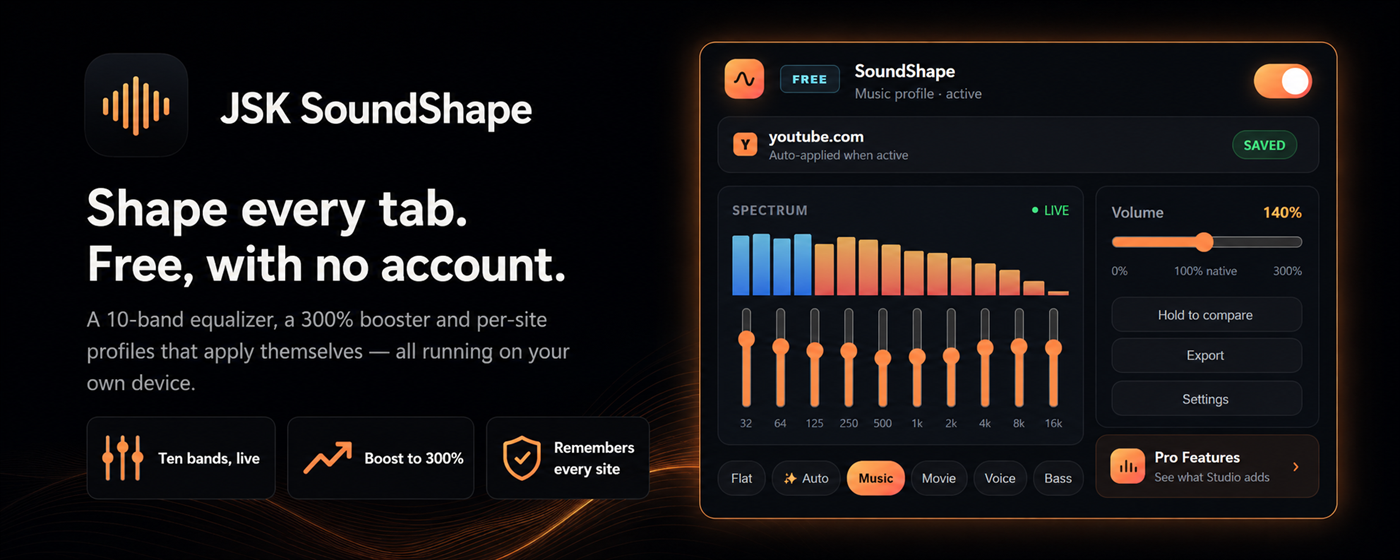
The full equalizer is free, with no account and no sign-up. Ten bands, a volume
booster that goes to 300%, and per-site profiles that remember YouTube one way and your
podcast another — all of it working the moment you install it. Nothing leaves your
device: on the Instant tier the extension makes zero network requests.
Browser audio is not one thing. A lecture recorded on a laptop mic needs a completely
different curve from a bass-heavy mix, and both of them need something different from a
film where the dialogue disappears under the score. Most extensions give you one slider
and hope for the best.
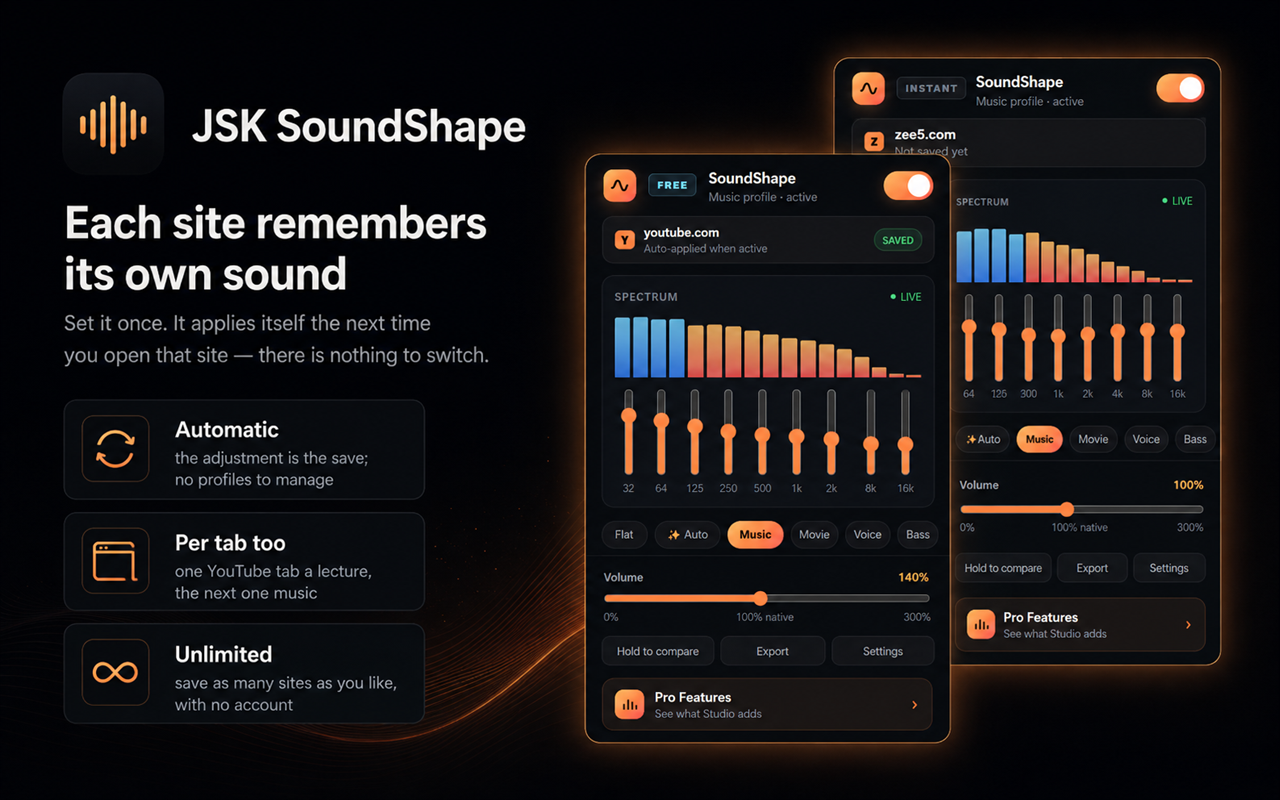
SoundShape gives every site its own settings and applies them automatically the next
time you open it. Click one preset chip and you are done; open the ten bands only if
you want to.
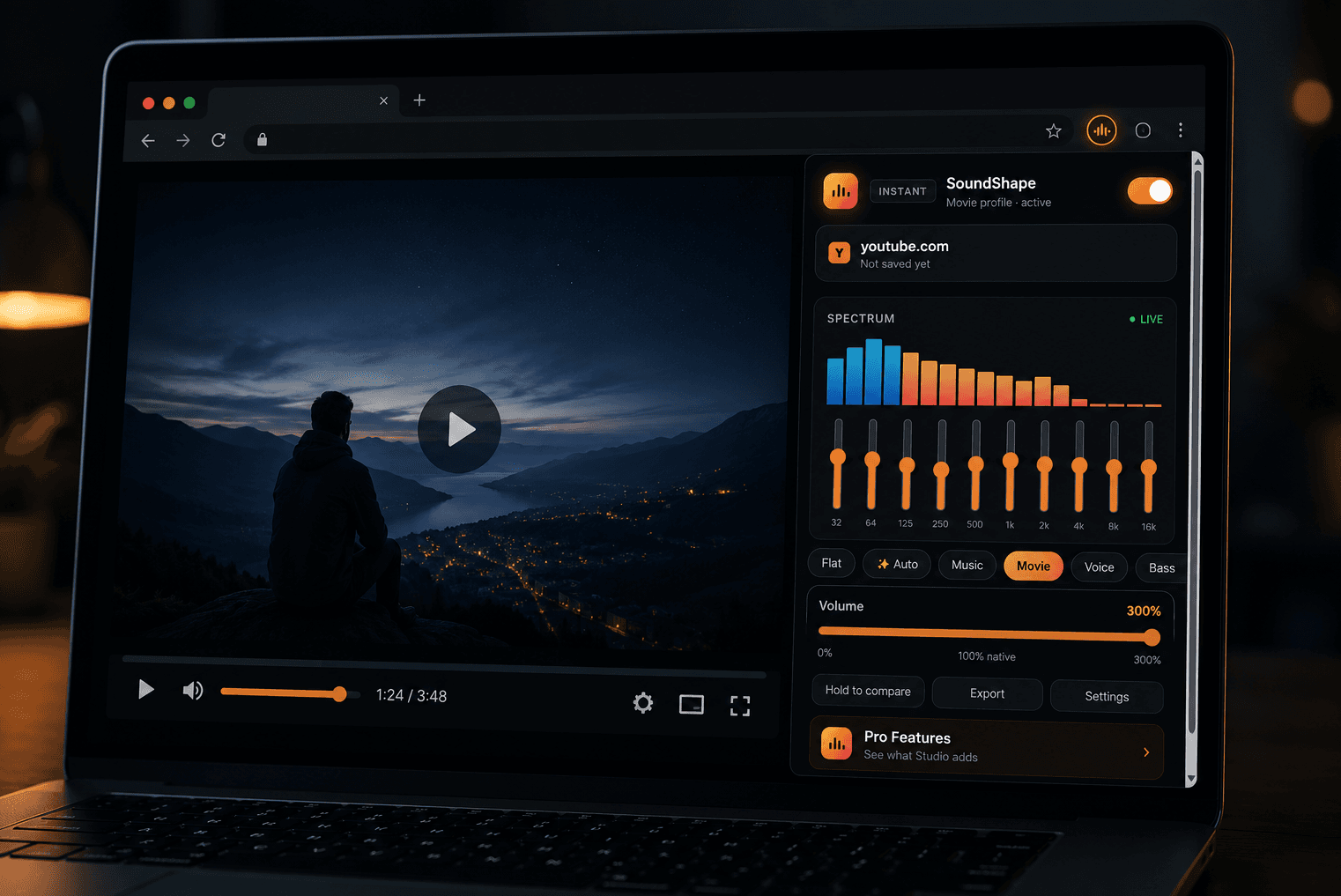
- 10-band equalizer, 32 Hz to 16 kHz, ±12 dB per band, adjusted live without a
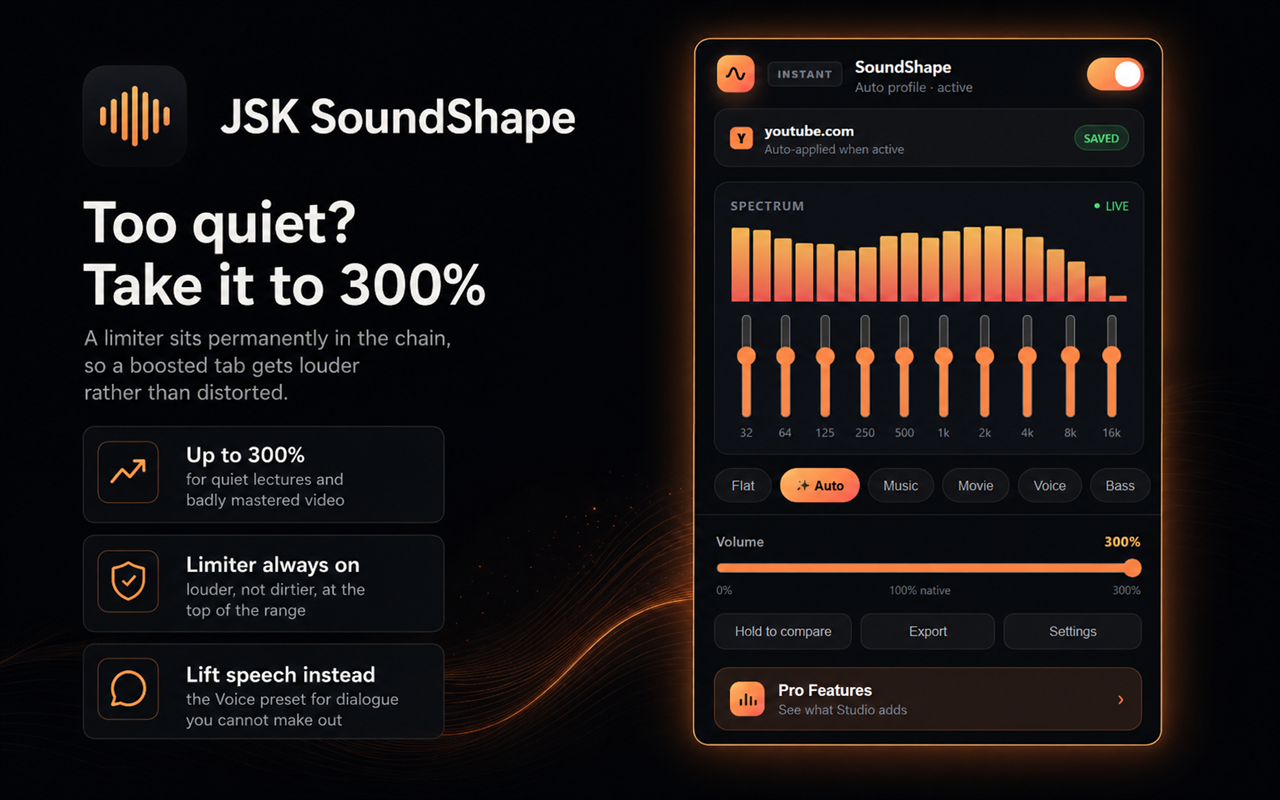
click or a pop - Volume boost to 300%, with a limiter permanently in the chain so loud passages
compress instead of clipping into distortion - Per-site profiles that apply themselves — and per-tab overrides when two tabs on
the same site need different treatment - Six presets including Auto, plus a live spectrum visualizer so you can see what
you are changing - Hold to compare — a real A/B against the untouched audio, because your ears adjust
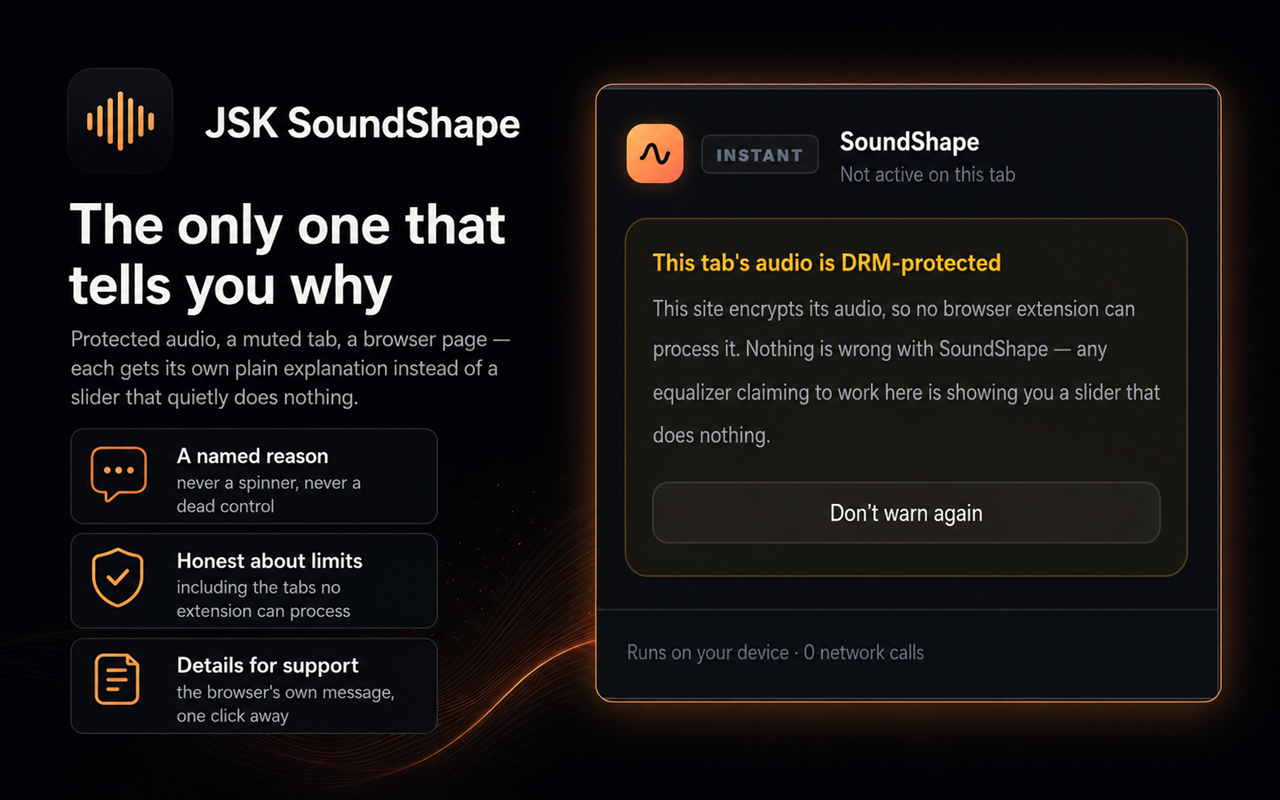
and stop telling you the truth after a minute - It tells you when it cannot work. DRM-protected audio, a muted tab, a browser
settings page, another extension already holding the capture — each gets its own plain
message instead of a slider that quietly does nothing
We examined 21 competing extensions and not one of them explains a failure — they
all go quiet, which is why "why isn't it working" is what people end up searching. An
equalizer that cannot process a tab should say so.
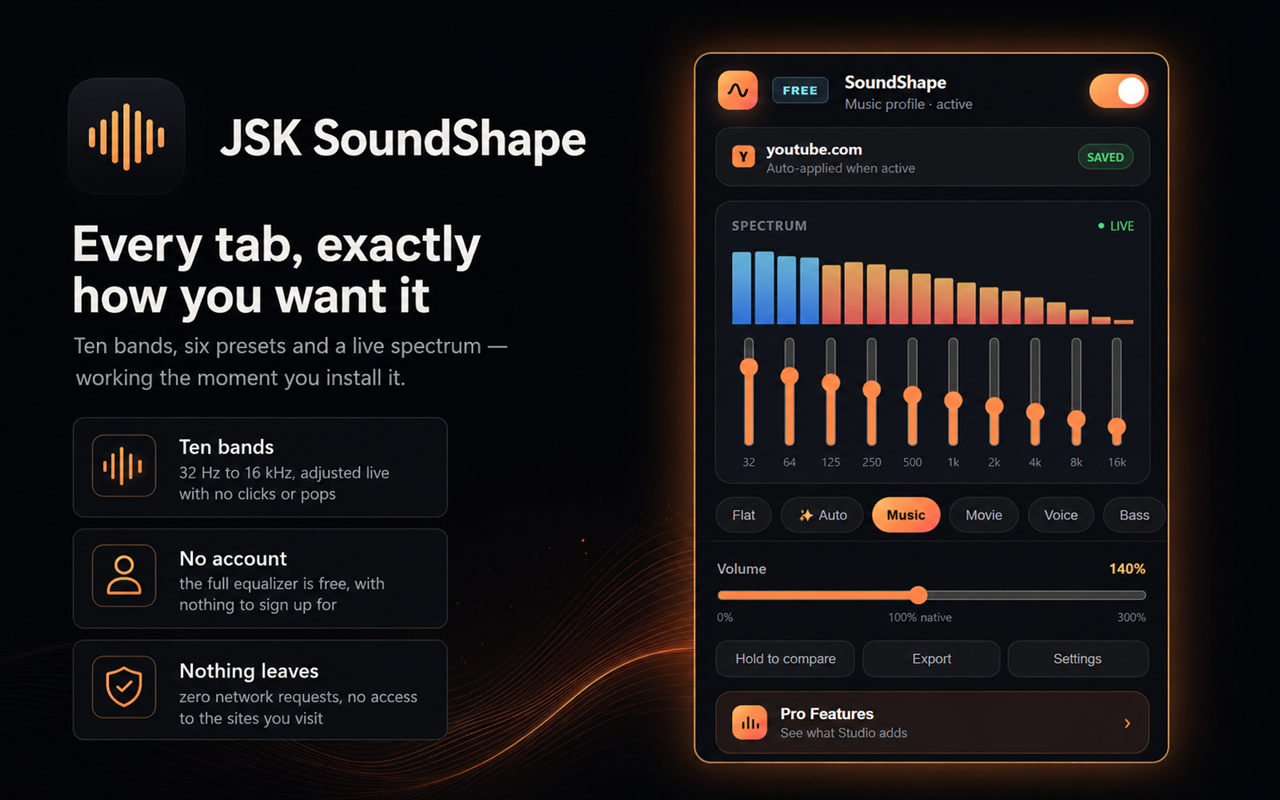
The popup: ten bands, preset chips and a live spectrum — the whole equalizer in one click, with no account.
How it works
Click the icon
SoundShape attaches to the tab you are on. No setup, no account, no permission dialog.
Pick a preset, or open the bands
one chip is enough; the ten sliders are there when you want them.
Move on
your settings are saved for that site and applied automatically next time you visit it.
Features
Ten bands, live
32 Hz to 16 kHz at ±12 dB, ramped smoothly so nothing clicks or pops while you drag.
300% volume boost
for quiet lecture recordings and badly mastered video, with a limiter always in the chain so it gets louder, not dirtier.
Per-site profiles
YouTube remembers one curve, your podcast another. They apply themselves; there is nothing to switch.
Honest diagnostics
a named, plain-English reason whenever a tab cannot be processed, instead of a control that silently does nothing.
No host permissions, no network
the Instant tier makes zero requests and asks for no access to the sites you visit. The install prompt is clean.
Live spectrum
see the frequencies you are shaping, so you are adjusting by eye and ear rather than by guesswork.
Pro depth when you want it
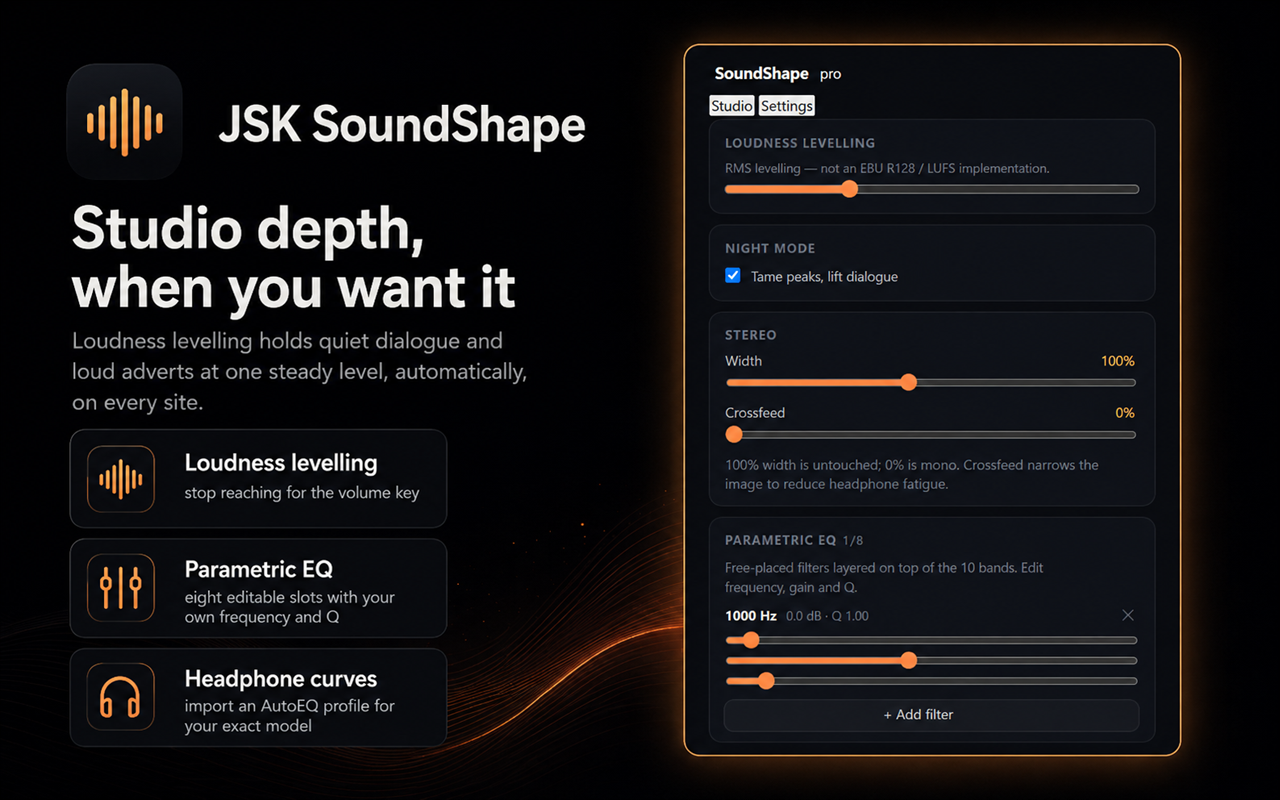
loudness levelling, a full parametric EQ, headphone correction curves, night mode and crossfeed.
Pricing
Choose the option that fits — pay once, subscribe, or start a trial.
No account needed — pay now and we'll email you a link to set a password and access your purchase. Already have an account?
Instant — free, no account
Free
- The complete 10-band equalizer, 32 Hz to 16 kHz at ±12 dB
- Volume boost to 300%, with a limiter always in the chain
- Six presets including Auto, plus bass boost, mono and balance
- Unlimited per-site profiles, plus per-tab overrides
- Live spectrum visualizer and hold-to-compare A/B bypass
- Plain-English diagnostics when a tab cannot be processed, and settings export
- Zero network requests and no host permissions
No account needed — just install
Free — free with a JSKAPPS account
Free
Everything in Instant, plus:
- A named preset library you can reuse across every site
- The saved-sites manager, for searching and bulk-editing your profiles
- Import and restore your settings on a new machine
- Migration from EqualizerAPO and AutoEQ profile files
- Two curated preset packs — six genre curves and five device curves
- Three accent themes and three visualizer modes
Pro Plan
$2.99/mo
14-day free trial
Everything in Free, plus:
- Loudness levelling — quiet dialogue and loud ads held at one steady level
- Parametric EQ — eight editable filter slots with your own frequency, gain and Q
- Headphone correction — import an AutoEQ or EqualizerAPO curve for your exact model
- Night mode — lift dialogue and tame peaks for listening late without waking anyone
- Crossfeed and stereo width — take the edge off hard-panned stereo on headphones
- Advanced site rules — wildcard patterns and time-of-day windows
- The Studio panel — every advanced control in one side panel
Frequently asked questions
Do I need an account?+
No. The complete equalizer — all ten bands, the volume booster, presets, per-site
profiles, the visualizer and the diagnostics — works on install with no account at all.
A free JSKAPPS account adds a preset library and import tools; Pro adds deeper audio
processing. Nothing that changes how a tab sounds is locked behind signing up.
Why does it say a tab's audio cannot be processed?+
Some sites deliver audio under DRM (digital rights management), which is encrypted end
to end. No browser extension can process it — not this one and not any other. If an
extension appears to work on a DRM-protected site, its slider is not doing anything.
SoundShape tells you which tabs those are rather than pretending.
Will it make my browser slow?+
No. It works only on the tabs you turn it on for, the spectrum stops drawing the moment
you close the popup, and the whole extension is under 200 KB.
Does it work on Firefox and Edge?+
Yes. Edge works exactly like Chrome. Firefox works differently under the hood and will
ask for permission on the site you are using it on, at the moment you use it.
Does it send my audio anywhere?+
No. All processing happens on your device, in your browser, and nothing is recorded or
transmitted. The only thing the extension itself ever sends is a licence check to
api.jskapps.com, and only if you have connected an account. It also opens our
documentation page in a tab once, when you first install it. The privacy page lists
every moment anything leaves your browser.
What happens if my subscription ends?+
The Pro processing stops being applied — including on profiles you saved while
subscribed — and everything in Instant and Free keeps working exactly as before. You
never lose the equalizer.
Can I get my settings out?+
Yes, at any time and with no account. Export writes a JSON file with every profile
and preset, so you can always leave with what you made.
From the blog
All articles →
The YouTube Equalizer Problem: One Curve Cannot Fit Every Tab
A curve that rescues a quiet lecture ruins a mastered album. If you keep adjusting the same equalizer every time you switch tabs, the problem is not the curve — it is that you only have one. Here is how per-site audio profiles fix it.
Tanmoy Sambhav · Sep 11, 2026
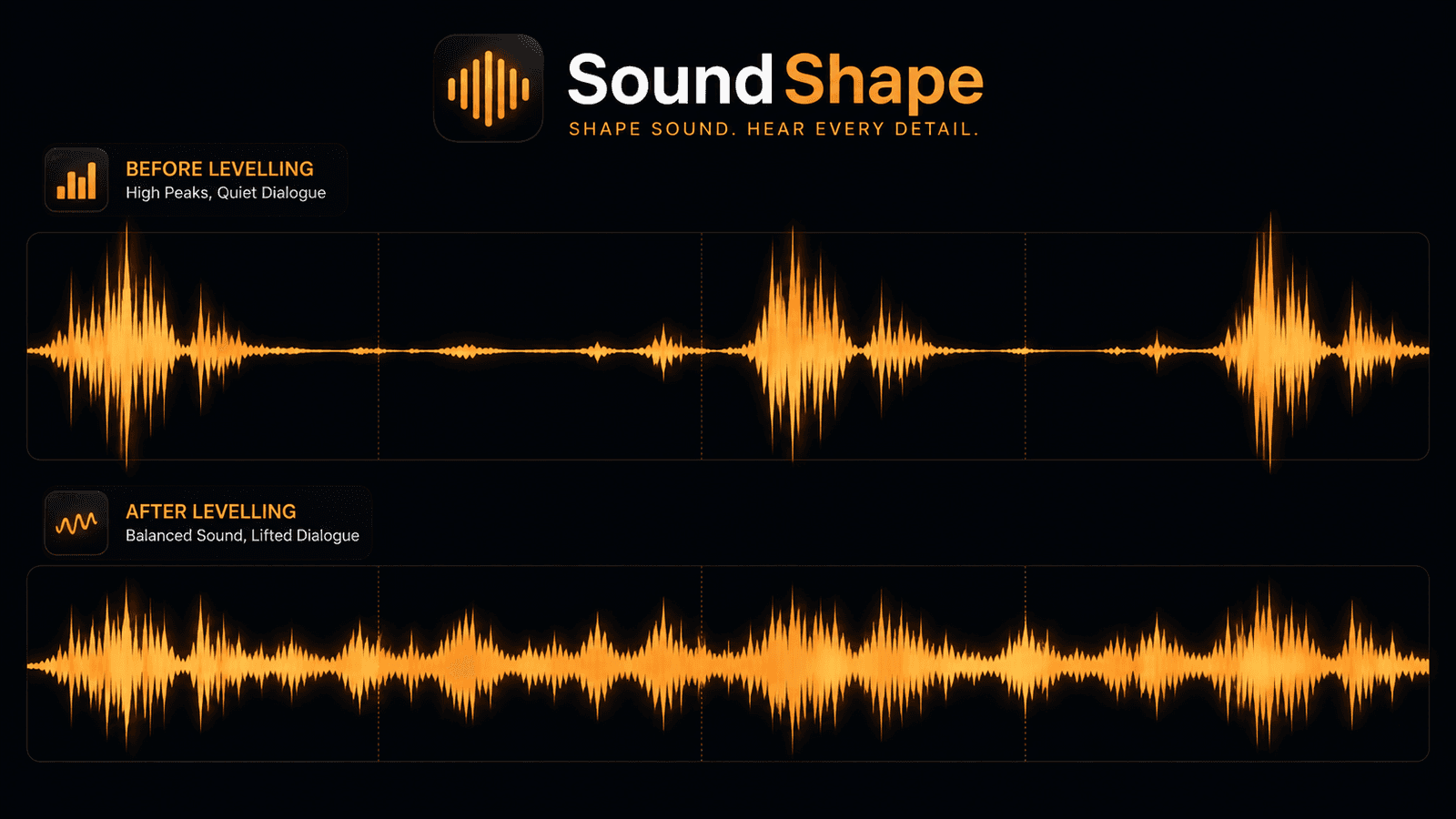
Loudness Levelling: Why Dialogue Is Quiet, Ads Are Loud, and Volume Cannot Fix It
You turn it up to hear the dialogue, then an advert nearly takes your head off. No volume setting is right for both, because the problem is the distance between them. Here is what loudness levelling actually does, and how it differs from an equalizer.
Tanmoy Sambhav · Aug 26, 2026
How to Boost Volume in Chrome Beyond 100% — Without Wrecking the Sound
Your system volume is maxed and the video is still too quiet. Here is how browser volume boosting actually works, how to push a tab past 100% without turning it to mush, and how to tell a safe volume booster extension from one you should not install.
Tanmoy Sambhav · Aug 20, 2026
Hear every tab the way you want
Install it and click one chip — the full equalizer is free, with no account and no sign-up. Add Pro when you want loudness levelling and headphone correction.