 JSKAPPS
URL templating: generating hundreds of links from one pattern
Somnath Roy · August 6, 2026
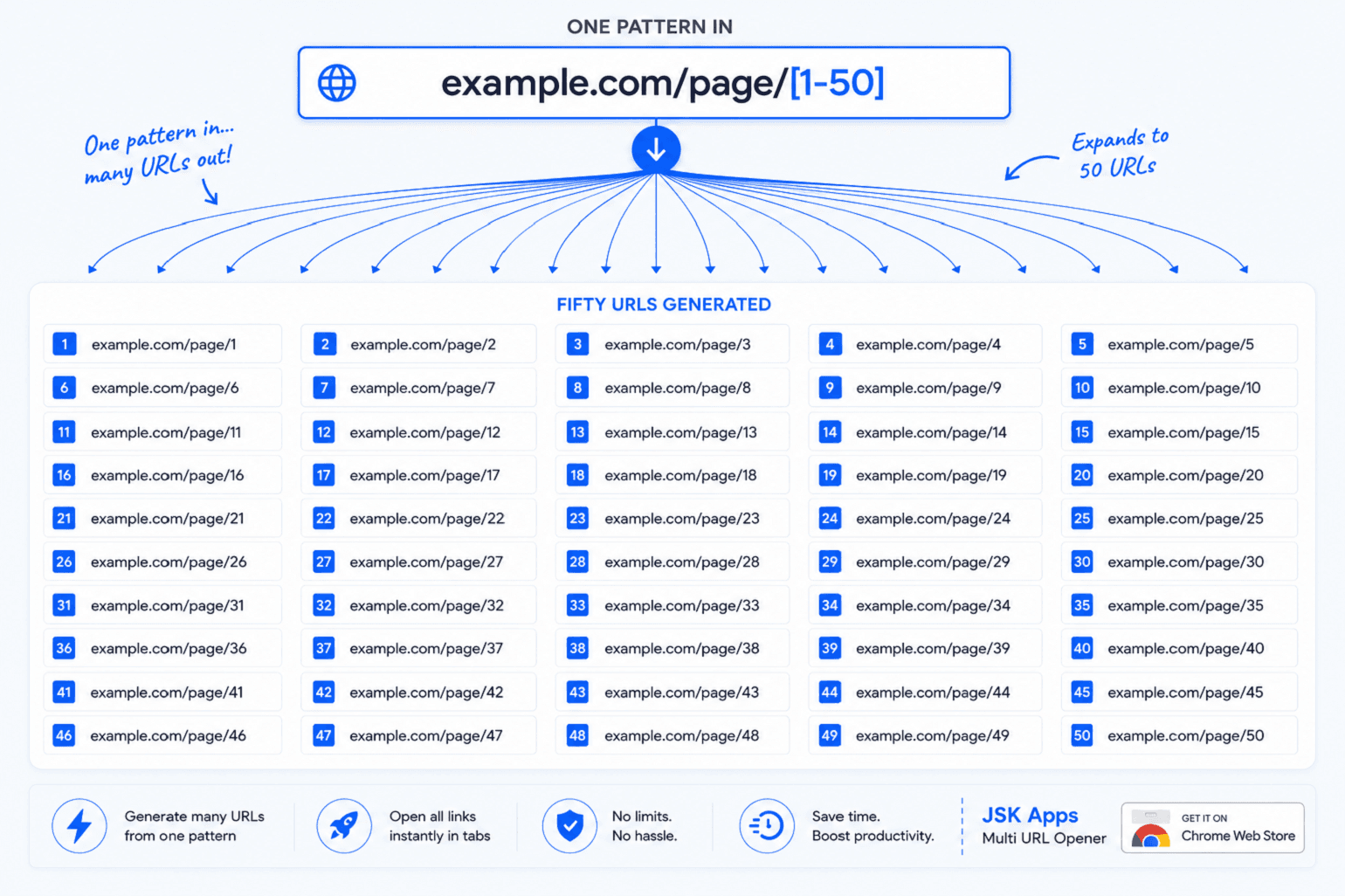
Here's a task that shows up constantly and has no good manual answer: you need every page of a paginated listing. Pages 1 to 50. The URLs are completely predictable — /page/1, /page/2, and so on — and yet producing that list is fifteen minutes of work.
Most people end up in a spreadsheet. Fill down a column of numbers, write a CONCATENATE formula against the base URL, drag it, copy the result, paste it somewhere. It works. It's also a strange thing to be doing, and you have to redo it every time the base URL changes.
The alternative is to describe the pattern once and let the tool expand it.
The basic case: numeric ranges
In JSK Multi URL Opener, turn on Templating in the Advanced drawer and type a single line:
example.com/page/[1-50]
The counter under the box immediately reads 50 URLs. Click Open and you get all fifty.
That's the whole idea. Everything else is variations on it.
Zero padding is inferred from how you write the range, which matters when a site uses fixed-width IDs:
example.com/item/[001-050]
→ /item/001 … /item/050
Steps let you skip:
example.com/results?offset=[0-100:25]
→ offsets 0, 25, 50, 75, 100
All three of these — plain ranges, zero-padded ranges, and steps — work on every tier, including with no account at all.
The advanced tokens
Four more token types cover the cases numbers can't.
Letter ranges:
example.com/section/[a-e]
→ /section/a … /section/e
Value lists — one URL per value, which is the one you'll reach for most:
example.com/{us,uk,de,fr}/pricing
→ four URLs, one per market
Date ranges — one URL per day:
example.com/archive/{2026-01-01..2026-01-07}
→ seven URLs, one per date
Named tokens — define a list of values once, reuse it across many patterns:
example.com/{env}/health
with env = prod, staging, dev defined in the Templates tab.
Tier note: these four are Pro features. On the free tier they stay literal — the line is treated as a normal URL rather than expanded. Numeric ranges above are free.
Combining tokens multiplies out
Put more than one token on a line and you get every combination:
example.com/[1-3]/{a,b}
produces six URLs:
| a | b | |
|---|---|---|
| 1 | /1/a |
/1/b |
| 2 | /2/a |
/2/b |
| 3 | /3/a |
/3/b |
This is where it gets genuinely powerful, and where you need to pay attention. Combinations multiply rather than add. A modest-looking line can produce a very large list:
example.com/{us,uk,de,fr,es}/category/[1-20]?sort={new,popular}
That's 5 × 20 × 2 = 200 URLs from one line. Which may be exactly what you want — but check the counter before you click Open.
The guard rails
The counter under the editor is your preview. It updates as you type, so you always see the real number before anything opens. Three more things protect you:
- A large-batch confirmation appears above your configured threshold (25 by default), so a big expansion can't open by accident.
- A hard cap of 10,000 links per batch. A typo like
[1-99999999]produces a clear error rather than freezing your browser — the range is checked before it's built, not after. - Lazy-load, in the Advanced drawer, is the setting that makes large expansions practical. Two hundred tabs open instantly and only load when you focus them.
If you're generating more than about fifty links, turn on lazy-load and add a small delay. A site receiving two hundred simultaneous requests from one IP will often throttle you, and you'll end up reviewing error pages.
Where this earns its keep
A few patterns that come up repeatedly:
- Paginated listings —
[1-50]over a search result, a category, or an archive. - Sequential IDs — sweeping
/order/[1000-1100]in a staging environment to find where rendering breaks. - Locale sweeps —
{us,uk,de,fr}to check a page across every market you ship to. - Date archives —
{2026-01-01..2026-01-31}to pull a month of daily pages. - Environment checks —
{env}with a named token, so one pattern covers prod, staging and dev.
That last one pairs naturally with environment profiles, which solve the same problem from the other direction — see How QA teams smoke-test 200 URLs across staging and production.
Two things people get wrong
Templating stays off until you turn it on. If you paste example.com/[1-5] with templating disabled, you get one URL, not five — the line is treated literally. This is deliberate: a URL containing square brackets is still a valid URL, and silently rewriting it would be worse. If the extension spots a pattern in your text it will offer a one-click chip to enable templating, but it won't do it behind your back.
Save patterns you reuse. The Templates tab in the side panel keeps named patterns, so a monthly report sweep is one click rather than retyped syntax. This is also where named token values live.
The quick reference
| Pattern | Produces | Tier |
|---|---|---|
[1-50] |
1 … 50 | All |
[001-050] |
zero-padded 001 … 050 | All |
[0-100:25] |
0, 25, 50, 75, 100 | All |
[a-e] |
a … e | Pro |
{us,uk,de} |
one per value | Pro |
{2026-01-01..2026-01-07} |
one per date | Pro |
{token} |
one per saved token value | Pro |
Where to go next
- New to the extension? Start with How to open 100 URLs at once in Chrome.
- The complete reference, including every setting and its default, is in the documentation.
About this tool
JSK Multi URL Opener