 JSKAPPS
How resellers pull full-resolution product photos from AliExpress and Amazon
Subhankar Jana · August 19, 2026
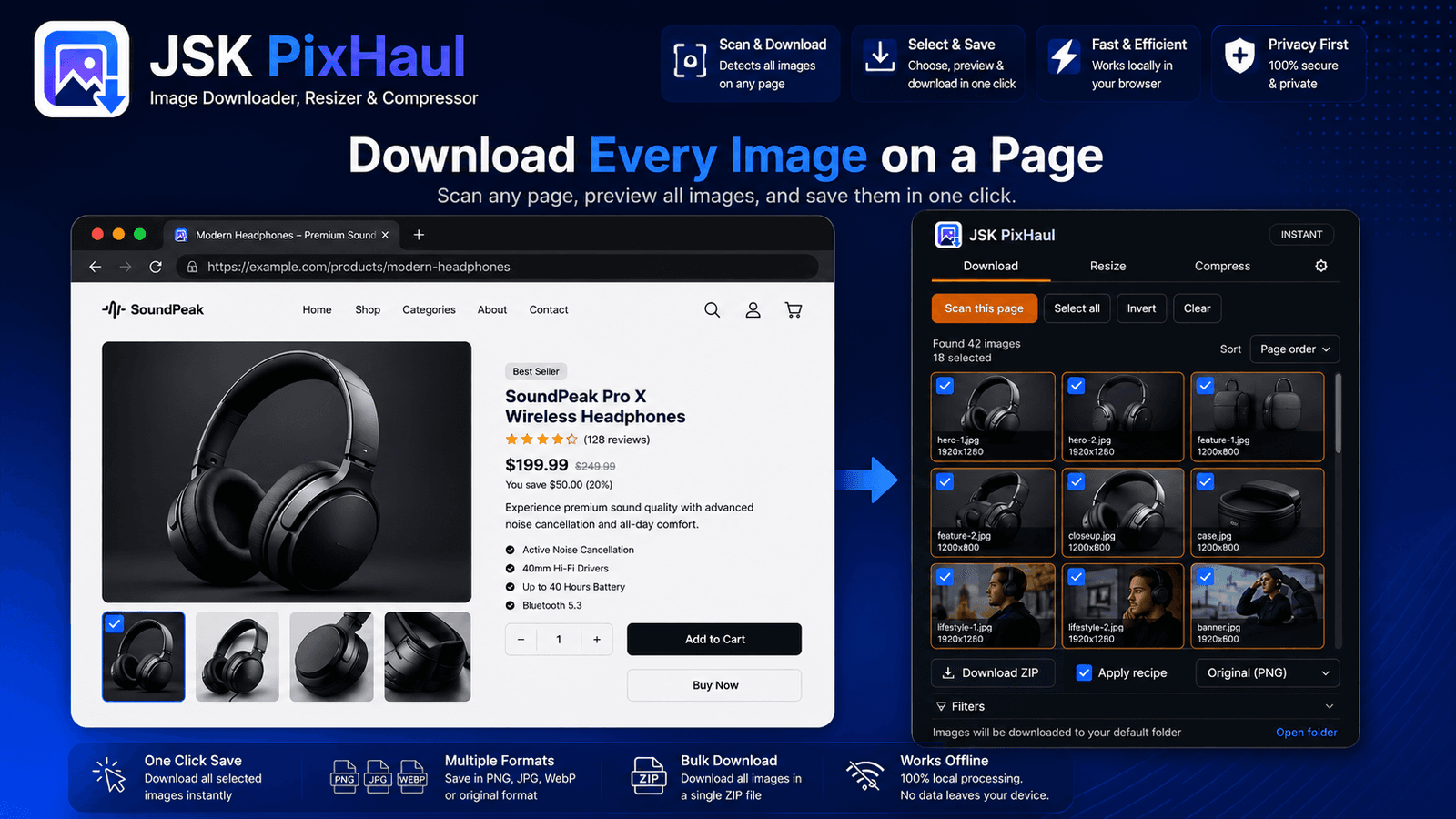
If you sell online, you know the drill. You've found a supplier's product page with a dozen good photos, and you need them for your own listing, your store, or an ad. But the images the page shows are display thumbnails — resized and often re-compressed for fast loading. Save one and you get a 500-pixel-wide version that looks soft the moment you drop it into a 1500-pixel listing slot.
The manual fix is grim: hunt for the "zoom" image, right-click, guess whether that's the original, repeat for every angle, then rename the pile so you can tell the front from the back. Multiply by every product you're sourcing this week.
This post walks through a cleaner, repeatable workflow using JSK PixHaul. Some of it is free; the full-resolution part is a Pro feature, and I'll say so where it matters — nobody likes hitting a paywall three steps into a tutorial.
Why store thumbnails aren't good enough
Marketplaces serve images through a CDN that bakes the display size into the URL — something like ..._400x400.jpg. That's great for their page speed and bad for your listing, because upscaling a 400px image to fill a 1500px slot just makes the softness bigger. What you actually want is the original the seller uploaded, before the store shrank it.
The good news: the original usually still exists at a predictable URL. You just have to ask for it.
The workflow
1. Scan the product page
Open the product page, open JSK PixHaul's side panel, and click Scan this page. Because JSK PixHaul reads srcset, background images and embedded page data — not just plain <img> tags — it surfaces the product gallery even when the store loads it through JavaScript. Scanning and filtering are free, no account required.
2. Filter to the product shots
A marketplace page is busy: recommended items, badges, seller logos, category icons. Trim them with the filters:
- Set a minimum width/height to drop the small UI images.
- Use exclude with something like
icon|sprite|avatarto remove chrome. - Filter type to JPG/PNG/WebP if the page mixes in SVG icons.
Click Measure sizes so the dimension filter applies to everything, not just the images the page had already loaded.
3. Upgrade to the originals (Pro)
Here's the step that makes the difference. With the product shots selected, click Upgrade to originals. JSK PixHaul rewrites the store's thumbnail URLs to their full-resolution form using the CDN's own size tokens, then re-checks the set. Where a bigger original exists, you now have it; duplicate thumbnails that collapse to the same original are de-duplicated automatically.
This is a Pro feature. It works across common marketplace CDNs — the kind used by AliExpress and 1688, Amazon, and Walmart among others — because those CDNs expose the size in the URL in a consistent way.
4. Rename so the set makes sense
Before you download, open Rename on download and set a pattern like {site}-{index} or, if the page provides alt text, {alt}-{index}. Now your download is aliexpress-01.jpg, aliexpress-02.jpg, … instead of a pile of CDN hashes. A live preview confirms it.
5. Download as one ZIP
Select all and Download ZIP. On Pro the ZIP is uncapped, so a full product gallery comes down in one file. (Without an account you can still ZIP up to 15, and 75 on the free plan — enough to try the workflow before deciding.)
6. Resize or compress for your listing
Different channels want different sizes. Switch to the Resize tab and use a preset or exact pixels; use cover or pad fit modes to hit an exact square without distortion. If your storefront caps upload size, the Compress tab shrinks files — and on Pro you can aim for a specific target file size so every image lands under the limit. It all runs locally, so supplier images never pass through a third-party server.
A quick reality check on tiers
To keep it honest, here's what this workflow needs:
| Step | Tier |
|---|---|
| Scan, filter, rename, resize, basic compress | Free (no account needed to try) |
| Upgrade to full-resolution originals | Pro |
| Unlimited ZIP, multi-tab, auto-scroll, target-size compress | Pro |
If you're sourcing occasionally, the free tier plus a bit of manual work goes a long way. If sourcing is a weekly job, the Pro features are the ones that turn an afternoon into a few minutes — Pro is a subscription ($4.99/month or $29/year, with a 7-day trial) or a one-time lifetime licence.
Do this ethically
Full-resolution downloading is a tool; how you use it is on you. Respect the marketplace's terms, respect the seller's and photographer's rights, and don't pass off someone else's photography as your own where that isn't allowed. This workflow is about efficiency for images you're entitled to use, not a licence to lift anyone's work.
Next steps
For the exact filter list, rename tokens, and which features sit behind Pro, see the JSK PixHaul documentation. If you're new to the downloader itself, start with How to download all the images from a web page at once, then come back for the full-resolution part.
About this tool
JSK PixHaul — Image Downloader, Resizer & Compressor