 JSKAPPS
Generate QR Codes in bulk — on your machine, not someone's server
Most QR tools make you upload your data to make a code out of it. JSK Inkstone runs entirely on your PC — your URLs, your customer list, your Wi-Fi password, none of it leaves the machine. Make a single code or five thousand from a spreadsheet, and the free version has no row limit and no watermark.
Every online QR generator asks you to paste your data into a web form. For a marketing URL that is fine. For a customer list, an internal asset register, or the Wi-Fi password for your office, it is a decision you have to justify — and most people paste it anyway because the alternative is doing it by hand.
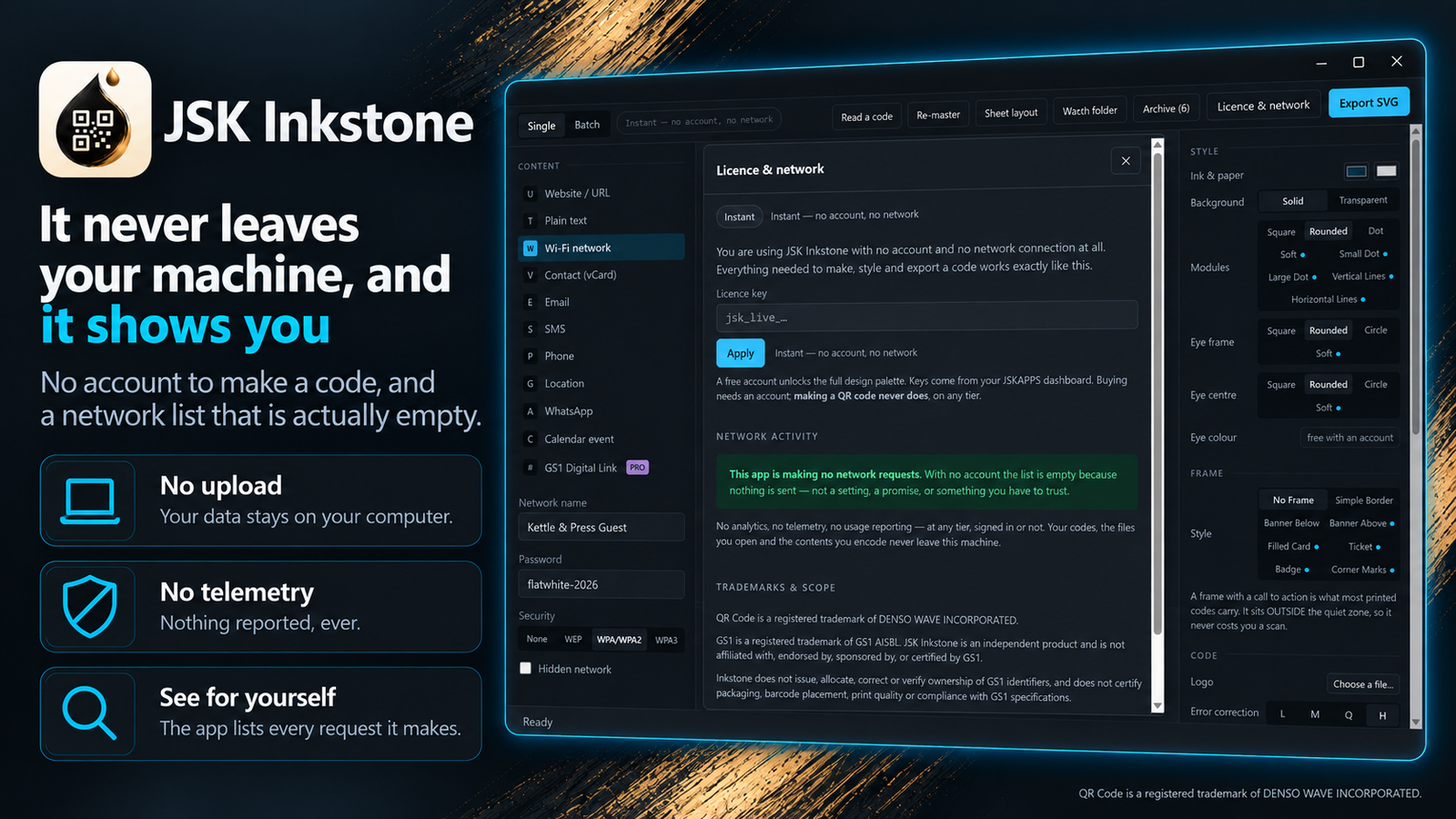
JSK Inkstone removes the decision. It is a desktop app. It builds every code locally, and the only network request it can make is a licence check to JSKAPPS — a single request that carries your licence key and a random install ID in its headers, and no request body at all. Without an account, it makes no network request whatsoever, and it tells you so in the app.
It also takes print seriously, which most web tools do not:
- Bulk from a spreadsheet — open a CSV or TSV, pick the column, export the lot. 5,000 rows is a normal run, not a paid upgrade.
- 11 code types — link, plain text, Wi-Fi, contact card, email, SMS, phone, location, calendar event, WhatsApp, and GS1 Digital Link.
- Design that still scans — module shapes, eye shapes, colours, frames with a call to action, and a logo in the middle.
- A preflight that measures — it tells you when a code is too small to print or a logo is too big to survive, before you send it to a printer.
- Read codes back — open an image and decode it, across 17 barcode symbologies.
- Print production — lay a run of codes onto sheets with cut marks, or produce a proof sheet at six sizes to test on your own printer and stock.
It is Windows-only today. macOS and Linux are a port, not a rewrite, but they are not here yet.
QR Code is a registered trademark of DENSO WAVE INCORPORATED.
See JSK Inkstone in action
A quick, interactive walkthrough — no install needed.
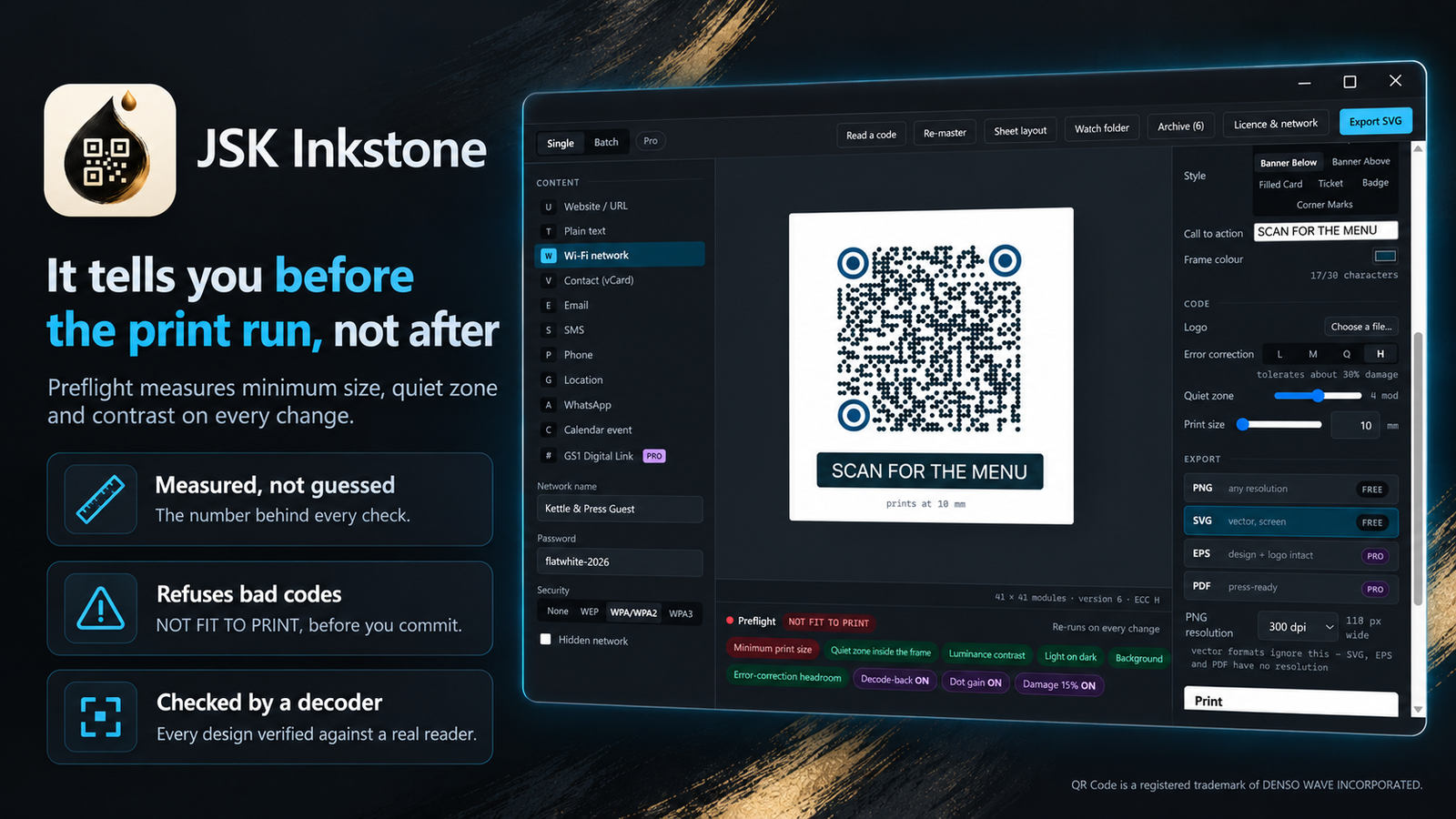
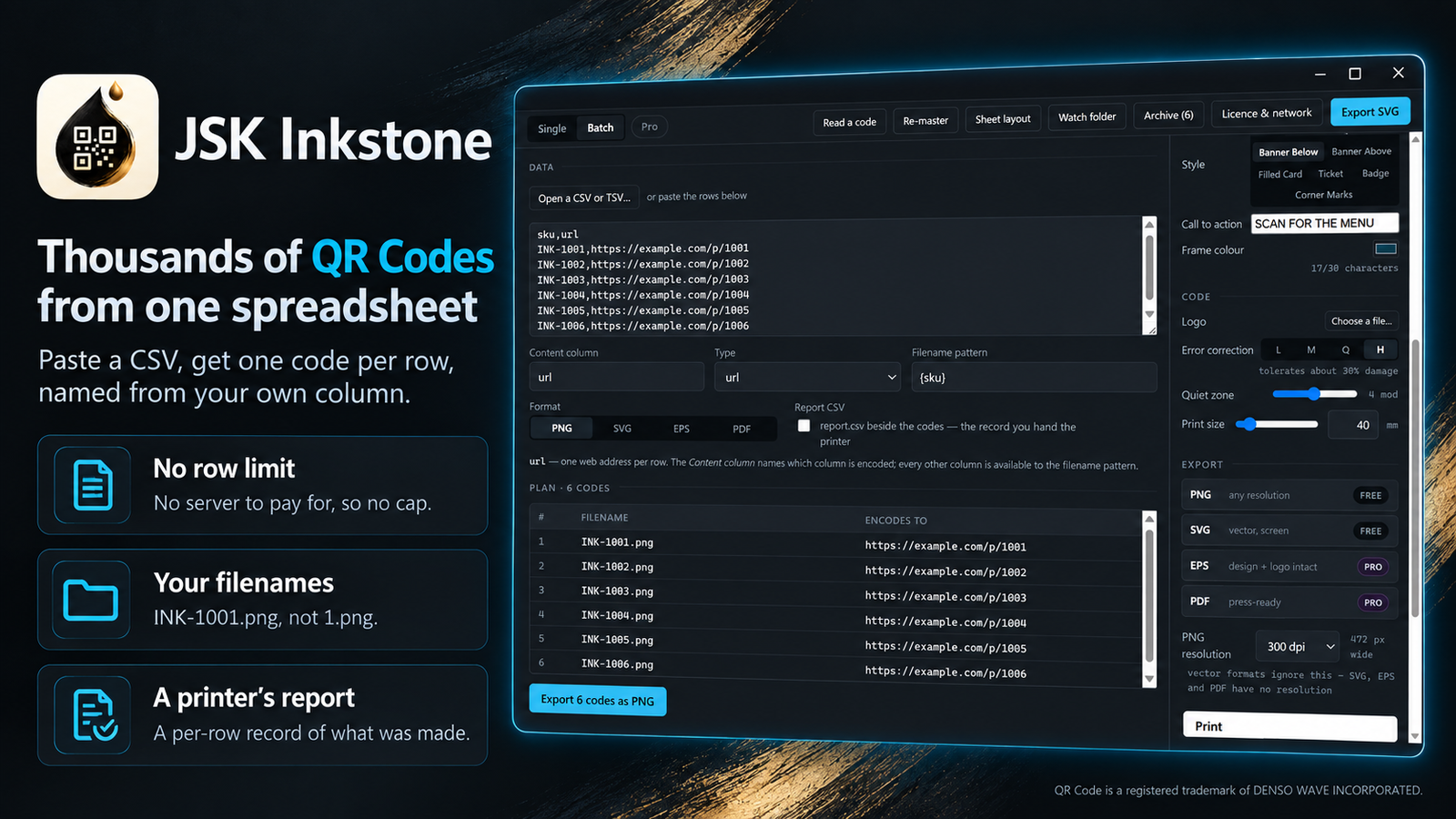
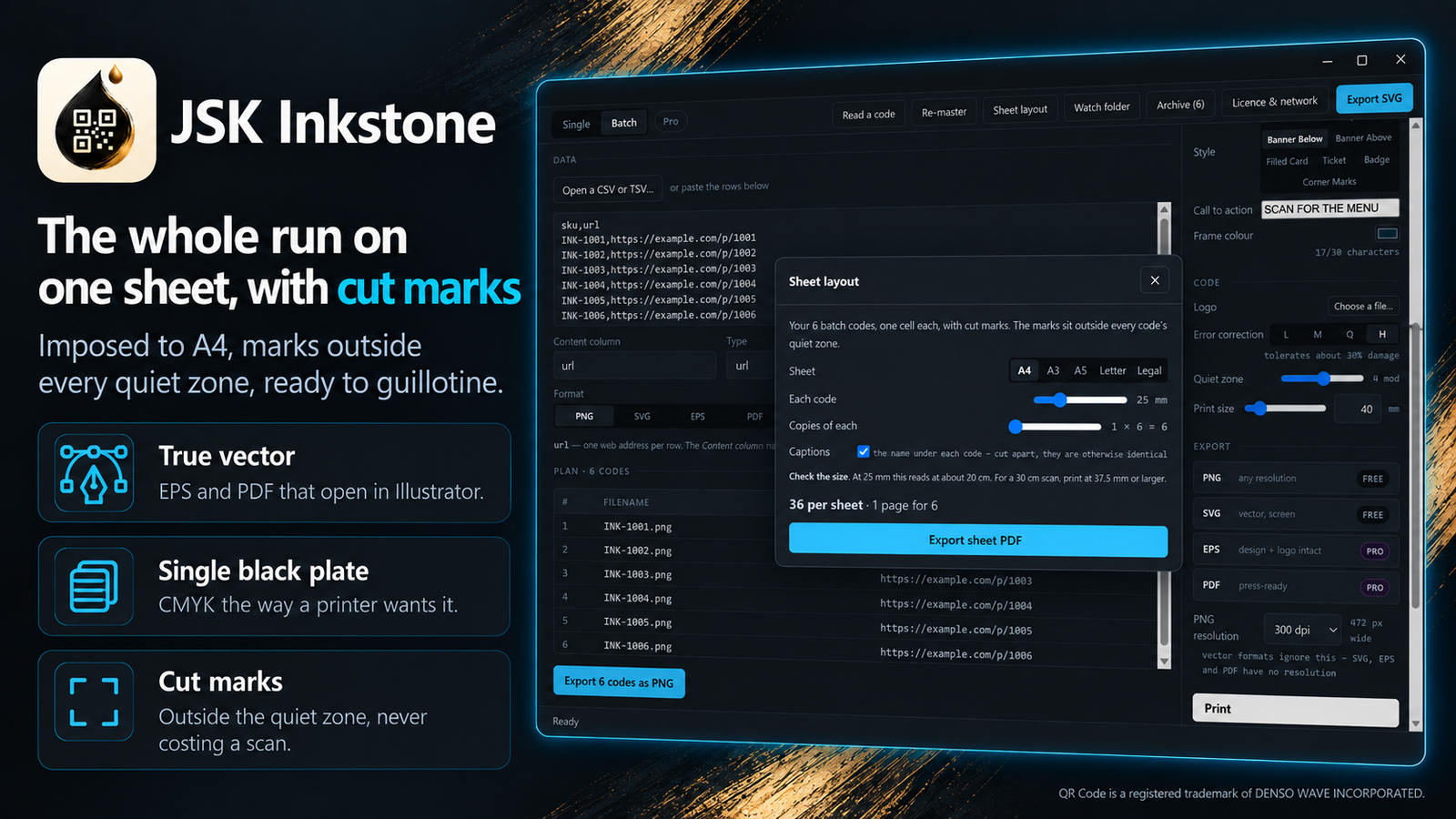
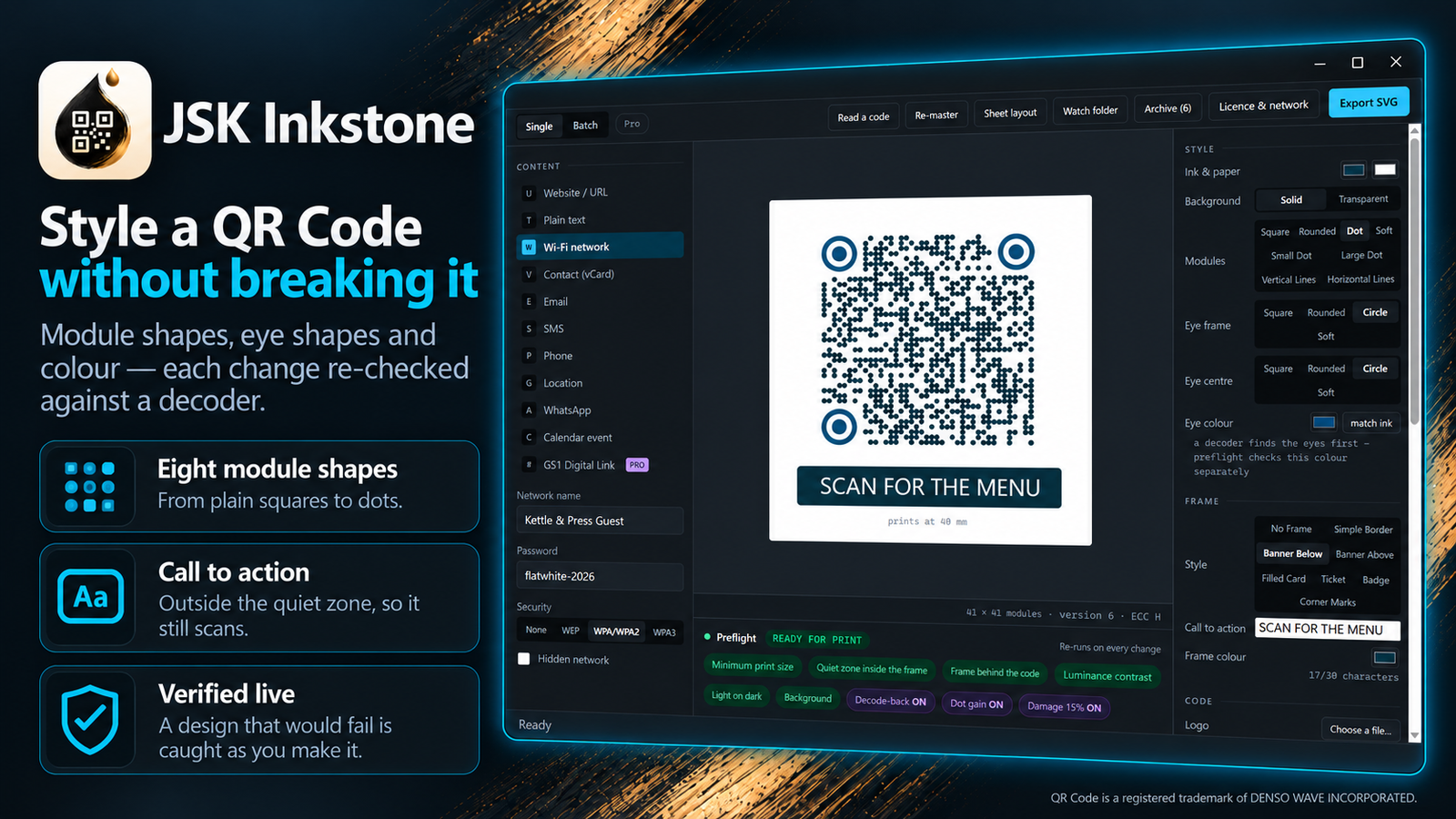
Preflight measures minimum size, quiet zone and contrast on every change — and refuses the codes that will not scan.
How it works
Install and open it
no account, no sign-in, nothing to configure. It works the moment it opens.
Type it, or open your spreadsheet
one code from the form, or a whole CSV in bulk mode.
Style it and check it
pick shapes, colours, a frame and a logo; preflight tells you if any of it will stop the code scanning.
Export
PNG or SVG free, at any size and resolution you set, straight to a folder you choose.
Features
Nothing is uploaded
every code is built on your machine. Without an account the app makes no network request at all, and says so on screen.
Bulk from CSV or TSV
thousands of codes from a spreadsheet column, named from your own data, in one export.
Preflight that measures
minimum print size, contrast, quiet zone, and whether your logo has destroyed too much of the code to recover.
Styling that survives scanning
eight module shapes, four eye shapes, seven frames with a call to action, and a logo, all checked against a real decoder.
11 code types
links, Wi-Fi, contact cards, calendar events, WhatsApp, GS1 Digital Link and more.
Reads codes too
open an image and decode it, across 17 symbologies including EAN, UPC, Code 128 and Data Matrix.
Built for print
sheet layouts with cut marks, a six-size proof sheet, CMYK output and a resolution you choose.
True vector output
EPS and PDF that stay sharp at any size, for press and large format.
A reissue archive
every export is filed with what it encodes, so you can remake any code at a new size years later without the original file.
Pricing
No account needed — pay now and we'll email you a link to set a password and access your purchase. Already have an account?
Instant — free, no account
Free
Lifetime access
- Generate unlimited QR Codes, one at a time or in bulk from a CSV
- Export PNG and SVG at any size and resolution — no watermark, no row limit
- All 11 code types: link, text, Wi-Fi, contact, email, SMS, phone, location, event, WhatsApp
- Preflight checks that tell you if a code is too small or too damaged to scan
- Makes no network request at all — the app shows you the empty list
No account needed — just install
Free account — free, sign in
Free
- Everything in Instant, plus:
- The full design palette: eight module shapes and four eye shapes
- All seven frames, including a call to action under the code
- Independent eye colour, so the corners can differ from the body
- Read all 17 barcode symbologies, not just QR
Pro
$39.00once
Lifetime access
15-day free trial
- Everything in Free account, plus:
- Print production: PDF export, CMYK output, and sheet layouts with cut marks and bleed
- EPS export for press work, opening cleanly in Illustrator with your logo intact
- Batch at scale: name files from your spreadsheet columns, and a CSV report of every code produced
- Verification: scan-check every generated code, simulate print damage and ink spread before committing to a run
- Re-master a low-resolution code you already have into clean artwork at any size
- GS1 Digital Link and a watch folder that turns dropped files into codes automatically
- One payment. No subscription, no per-code fee.
Frequently asked questions
Does my data get uploaded anywhere?+
No. Codes are generated on your machine. The app is permitted to reach exactly one address — the JSKAPPS licence endpoint — and that request carries your licence key and a random install ID in its headers, with no request body. Your codes, files and content are never sent. Without an account it makes no network request at all, and the Licence & network panel shows you the empty list.
Does it work offline?+
Yes. The core job needs no connection at all. A paid licence is re-checked when you are online and keeps working offline for 14 days after the last successful check. A trial still ends on its end date, online or not.
Is there a row limit on bulk export?+
No. Bulk export is free and unlimited — 5,000 rows is a normal run. Naming files from your own spreadsheet columns is the paid feature; the free tier numbers them sequentially.
Will a QR Code with my logo in it still scan?+
Only up to a point, and the app measures it rather than guessing. Error correction can rebuild a damaged code, but a logo destroys a solid block in the middle where the code is least able to cope. The size control stops at what your error-correction level can actually carry — measured by decoding real codes, not estimated from a percentage.
What is the smallest I can print a code?+
It depends on how much data you put in it. The app calculates the minimum for your specific code and warns you before you print, rather than after. As a rule, a module must be about 0.4 mm across for a phone camera to resolve it reliably.
Do I need an account?+
No. The app opens and works with no account at all. A free account unlocks the full design palette; a one-time Pro purchase unlocks the print-production tools.
Which platforms does it run on?+
Windows today. macOS and Linux are planned — the app was built with the platform layer separated so they are a port rather than a rewrite — but they are not available yet.
From the blog
All articles →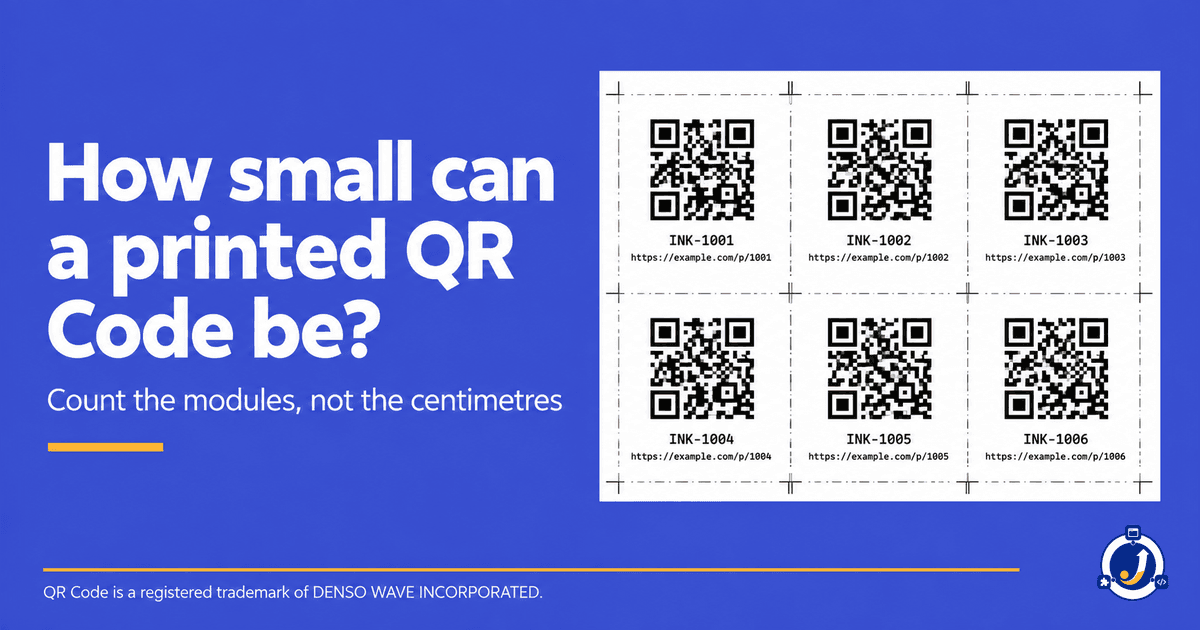
Stop uploading your data to make a QR Code
Download JSK Inkstone and generate as many codes as you like, on your own machine. Free to use, no row limits, no watermark — and a one-time Pro upgrade when you need print production. Built by JSKAPPS, who make local-first desktop tools.